
Pioneer AVIC-Z130
In order to update your GPS device: Pioneer AVIC-Z130 with the latest update, follow next instructions.
First of all, be sure you got the update file for your Pioneer AVIC-Z130 device, downloaded from SpeedcamUpdates.com.
If still haven't got it, you can get it now filling the form you see on this page.
- Extract files from the SpeedcamUpdates zip package. If the file you have downloaded is not a ZIP file means the file is already decompressed, and you can continue with the next step of this installation instructions.
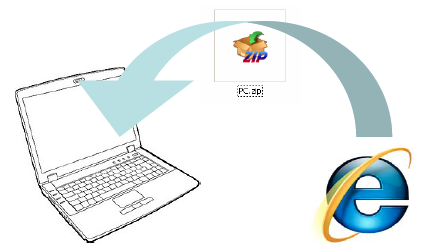
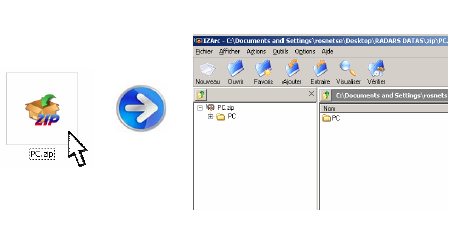
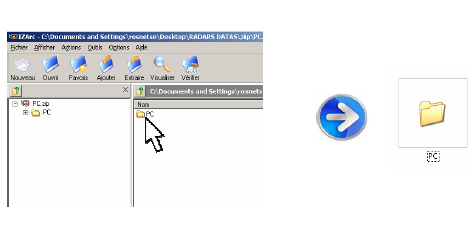
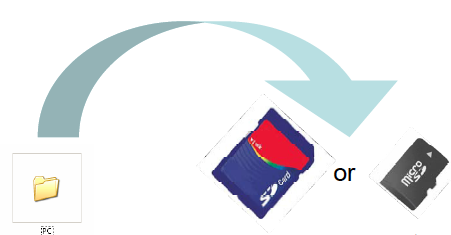
- Copy the folder « PC » onto a SD card
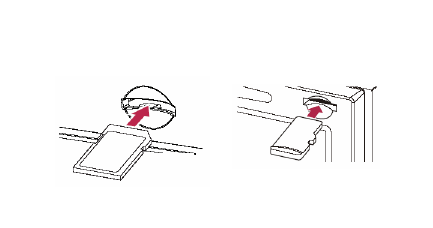
- Insert the (Micro)SD card in your NavGate system
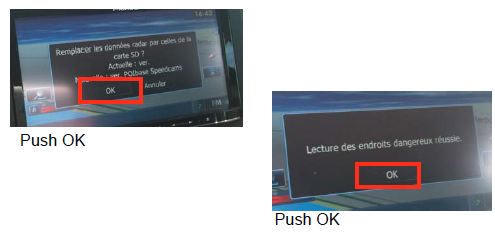
- Once SD card inserted, follow the screen instructions
- Your system is ready to work !
Pioneer AVIC-Z130 Speed Camera Update Information
The Pioneer AVIC-Z130BT offers comprehensive map coverage, including detailed navigation for all 50 states, Canada, Puerto Rico, and territories like Alaska and Hawaii. With a robust database featuring over 12 million points of interest, users can easily locate essential services, attractions, and amenities. Regular map updates are crucial for maintaining accurate navigation, ensuring that users have access to the latest road changes, new points of interest, and updated traffic regulations. Keeping your maps current enhances the overall navigation experience, allowing for efficient route planning and timely arrivals at destinations.
Updating the maps on your Pioneer AVIC-Z130BT is a straightforward process. Users can utilize a USB drive or SD card to install the latest map updates. First, download the necessary map update files from the Pioneer website onto your computer. Next, transfer these files to your USB drive or SD card. Insert the drive or card into the AVIC-Z130BT, and follow the on-screen prompts to initiate the update process. This ensures that your navigation system remains equipped with the most accurate and up-to-date mapping information.
The AVIC-Z130BT provides reliable route guidance, helping users navigate efficiently to their destinations. The system offers turn-by-turn directions, ensuring clarity at each intersection and junction. Additionally, the device can alert users to speed camera locations, enhancing driving safety and compliance with traffic regulations. By integrating these features, the AVIC-Z130BT not only aids in route planning but also promotes a more informed driving experience, allowing users to focus on the road ahead while receiving timely navigational support.
Looking for additional GPS update information and compatible navigation systems?
GPS Update & Installation Guide