
Zaapa GPS Mini ZA-AVRD2008
In order to update your GPS device: Zaapa GPS Mini ZA-AVRD2008 with the latest update, follow next instructions.
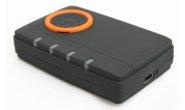
First of all, be sure you got the update file for your Zaapa GPS Mini ZA-AVRD2008 device, downloaded from SpeedcamUpdates.com.
If still haven't got it, you can get it now filling the form you see on this page.
This product is discontinued. Last database update for this product is: January, 2010
- Extract files from the SpeedcamUpdates zip package. If the file you have downloaded is not a ZIP file means the file is already decompressed, and you can continue with the next step of this installation instructions.
- With USB drivers of your Zaapa GPS Mini ZA-AVRD2008 device already installed in your PC, connect the Zaapa GPS Mini ZA-AVRD2008 device to your PC using USB cable. Run Advisor application and click Scan to looking for the com port where your Zaapa GPS Mini ZA-AVRD2008 is connected.
- Now click on 'Database Upgrade' tab. Then browse and select the file previously extracted. Finish the procedure to update your Zaapa GPS Mini ZA-AVRD2008 device.
GPS Mini ZA-AVRD2008 Speed Camera Update Information
Der GPS Mini ZA-AVRD2008 bietet umfassende Kartenabdeckung, die für präzise Navigation sorgt. Regelmäßige Kartenupdates sind entscheidend, um sicherzustellen, dass Sie stets die aktuellsten Straßeninformationen und POIs (Points of Interest) zur Verfügung haben. Diese Updates verbessern die Routenführung und helfen Ihnen, neue Straßen und Änderungen im Straßennetz zu berücksichtigen. Durch die Aktualisierung der Karten können Sie sicherstellen, dass Ihre Navigation effizient und zuverlässig bleibt, was besonders wichtig ist, wenn Sie unbekannte Gebiete erkunden oder häufig reisen.
Die Installation und Aktualisierung der Karten auf dem GPS Mini ZA-AVRD2008 erfolgt über USB oder SD-Karte. Um ein Update durchzuführen, verbinden Sie das Gerät einfach mit einem Computer oder verwenden Sie eine SD-Karte, um die neuesten Karten herunterzuladen. Der Prozess ist benutzerfreundlich und ermöglicht es Ihnen, die Karten schnell und unkompliziert zu aktualisieren. Achten Sie darauf, regelmäßig nach neuen Updates zu suchen, um die bestmögliche Navigationserfahrung zu gewährleisten.
Der GPS Mini ZA-AVRD2008 bietet präzise Routenführung, die auf den aktuellsten Karten basiert. Das Gerät unterstützt die Nutzung von Geschwindigkeitskameras, um Sie vor möglichen Geschwindigkeitsüberschreitungen zu warnen. Diese Funktion trägt dazu bei, Ihre Sicherheit zu erhöhen und Bußgelder zu vermeiden. Die klare Sprachführung und visuelle Anweisungen helfen Ihnen, Ihre Route effizient zu navigieren, sodass Sie sich auf das Fahren konzentrieren können, während Sie sicher ans Ziel gelangen.
Looking for additional GPS update information and compatible navigation systems?
GPS Update & Installation Guide