
Becker Ready 43 Talk V2
In order to update your GPS device: Becker Ready 43 Talk V2 with the latest update, follow next instructions.
First of all, be sure you got the update file for your Becker Ready 43 Talk V2 device, downloaded from SpeedcamUpdates.com.
If still haven't got it, you can get it now filling the form you see on this page.
- Extract files from the SpeedcamUpdates zip package. If the file you have downloaded is not a ZIP file means the file is already decompressed, and you can continue with the next step of this installation instructions.
- Connect your Becker Ready 43 Talk V2 device using an USB cable to your PC. Once your PC has detected your GPS device as an external storage drive open the folder "./iGO8/CONTENT/speedcam". Copy in this folder the files extracted from the zip file before.
- Once the files have been copied into your Becker Ready 43 Talk V2 device, unplug USB cable and then reboot the Becker Ready 43 Talk V2 device.
- When the Becker Ready 43 Talk V2 device finishes its startup, connect it again to your PC. Open again the folder "./iGO8/CONTENT/speedcam". Now you will see two more files, called speedcam.spdb and SpeedcamUpdates.spud respectively. Delete the file called SpeedcamUpdates.spud. Finally rename "speedcam.spdb" as SpeedcamUpdates.spud
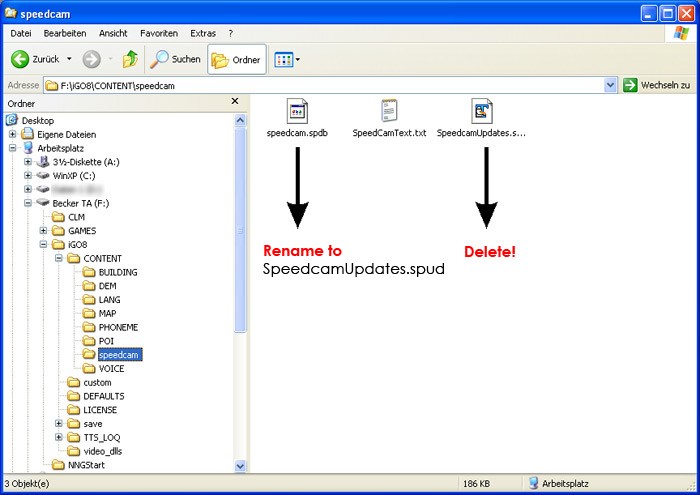
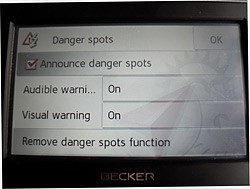
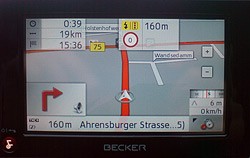
- Unplug your Becker Ready 43 Talk V2 device from your PC. Reboot your Becker Ready 43 Talk V2 device. Now, go outside to get GPS coverage. Check that a new menu has been created. Go to "Settings/Navigation settings/Danger spot" or "Settings/Navigation settings/speedcam". Double check that every option is adjusted to your preferences.
 |  |
Remember you can customize freely your download. Get access to the customer control panel and using the customization tool in order to get a customized speedcam database according to your needs. You will need this tool if your device doesn't accept the size of the new update. You can add and remove countries speedcam data to your current setup.
Becker Ready 43 Talk V2 Speed Camera Update Information
The Becker Ready 43 Talk V2 GPS device offers comprehensive map coverage for 19 countries in Central Europe. Regular map database updates are essential for ensuring accurate navigation and optimal route planning. Keeping your maps up to date allows you to benefit from the latest road changes, new points of interest (POIs), and improved routing algorithms. To maintain the effectiveness of your navigation experience, it is recommended to check for updates periodically and download them as needed.
To update your Becker Ready 43 Talk V2, connect the device to your PC using a USB cable. Once connected, your GPS will appear as an external drive on your computer. Open the device folder to access the map files. Download the latest map updates from the Becker website and transfer them to the appropriate folder on your device. Ensure that you safely eject the GPS device after the transfer is complete to avoid data corruption.
The Becker Ready 43 Talk V2 provides reliable route guidance, helping you navigate efficiently to your destination. It features a TMC Traffic Receiver that offers real-time traffic updates, allowing you to avoid congested areas. Additionally, the device includes speed camera alerts, enhancing your awareness of speed limits and potential fines. By utilizing these features, you can ensure a smoother and safer driving experience while on the road.
Looking for additional GPS update information and compatible navigation systems?
GPS Update & Installation Guide