
Porsche 911
In order to update your GPS device: Porsche 911 with the latest update, follow next instructions.
First of all, be sure you got the update file for your Porsche 911 device, downloaded from SpeedcamUpdates.com.
If still haven't got it, you can get it now filling the form you see on this page.
- Extract files from the SpeedcamUpdates zip package. If the file you have downloaded is not a ZIP file means the file is already decompressed, and you can continue with the next step of this installation instructions.
- Do login into your Porsche account thru My Porsche
- Once you connected to MyPorsche website, select Services option.
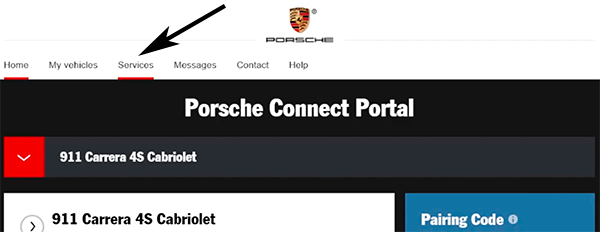
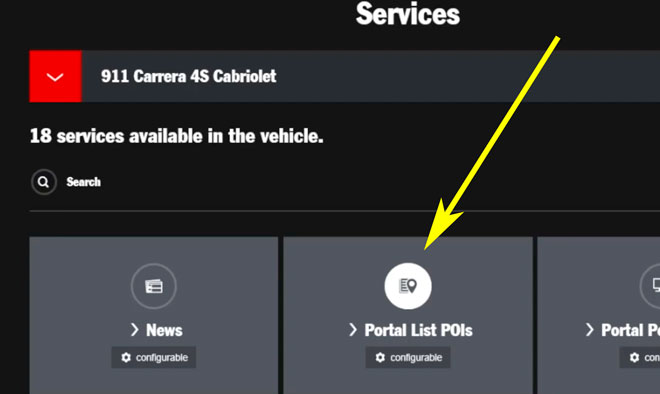
- Then, select Portal List POIs button.
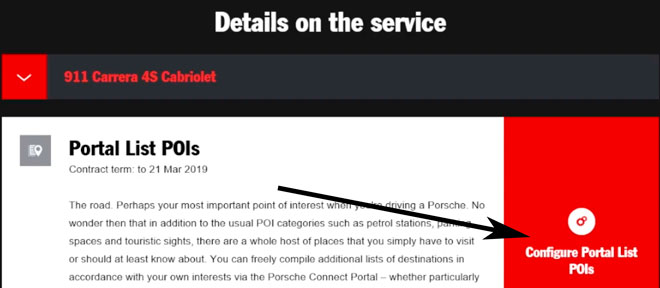
- Now, press Configure Portal List POIs button
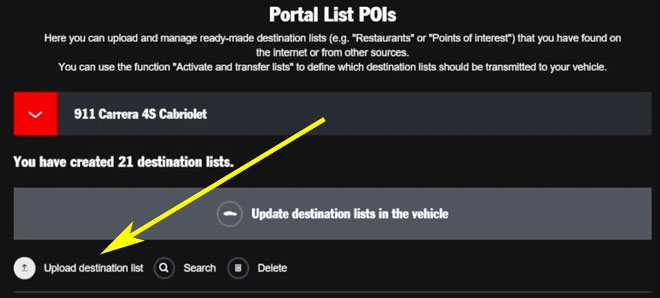
- Press upload destination list button.
- Press browse button.
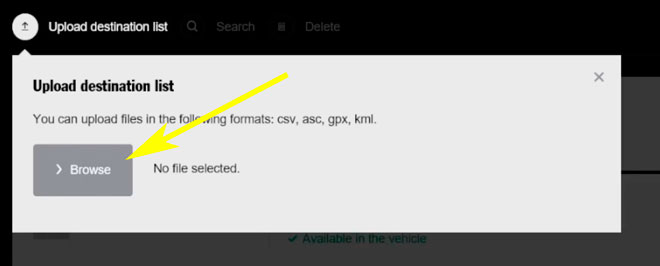
- You will need the files downloaded from our website.
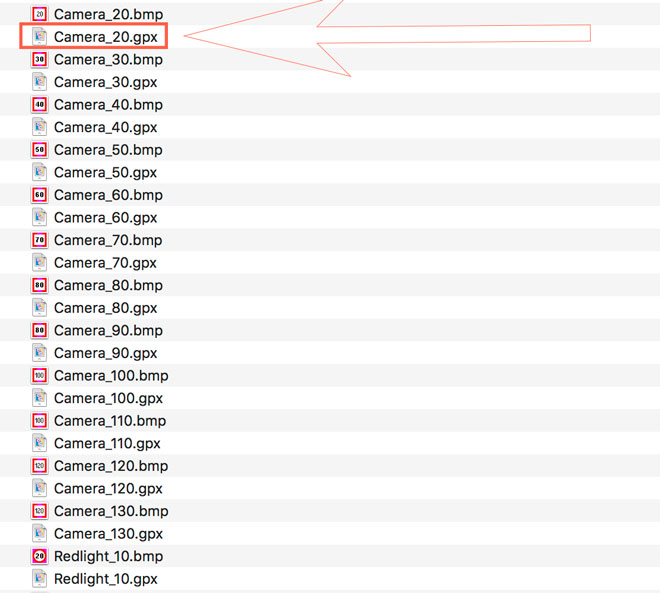
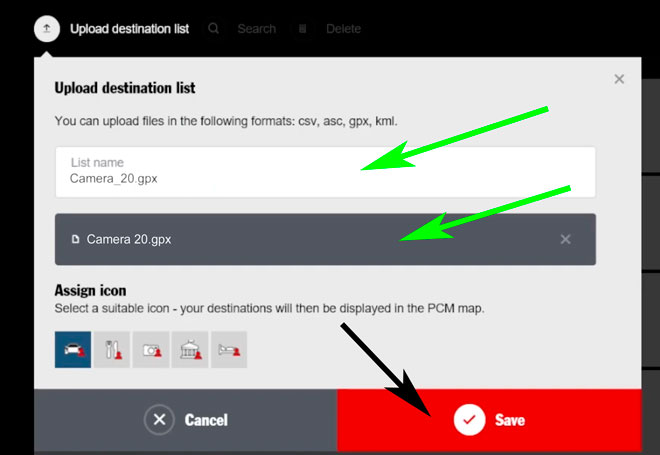
- Upload each file and save it.
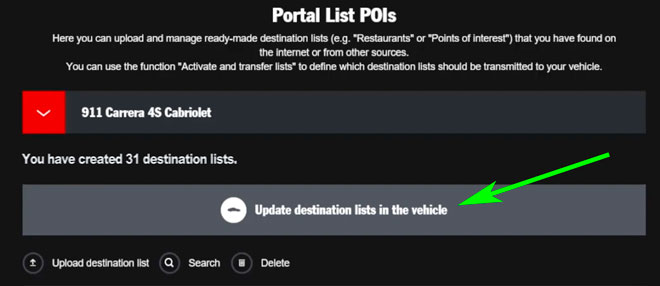
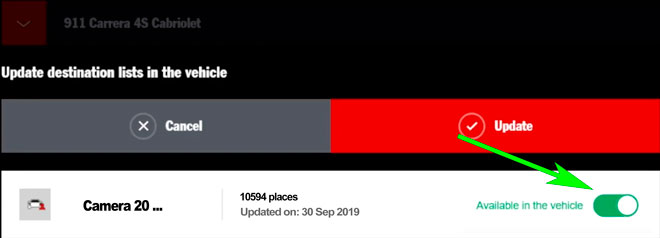
- Press now the button for updating the destination lists in your vehicle.
- Finally press the switch button and set it into the green state.
- Turn on your Porsche 911 GPS device.
- Press NAV button.
- Touch in the screen, the Special Destinations button.
- Now touch the Search Nearby button.
- Touch Portal Special Destinations.
- Touch Update List
- Select your user login to connect to the MyPorsche portal
- Touch the Online Update button.
- Check the box for downloading the new available package and press the start button.
- Now you can enable new pois to be shown in the map. Select MAP. Select OPT. Select Map View. Select Map Layers. Check the box for new POIs and select all the new categories still not checked.
- Audio warning can be enabled too. Select SET MAP. Select Notices. Select POI Proximity Warnings. Check the box for Enable Proximity Warnings feature.
Remember you can customize freely your download. Get access to the customer control panel and using the customization tool in order to get a customized speedcam database according to your needs. You will need this tool if your device doesn't accept the size of the new update. You can add and remove countries speedcam data to your current setup.
Porsche 911 Speed Camera Update Information
The genuine OEM Porsche Navigation System provides comprehensive map coverage tailored for your Porsche 911. Regular map database updates ensure that you have access to the latest road information, points of interest, and navigation enhancements. These updates are crucial for maintaining optimal precision during your journeys, allowing you to navigate with confidence. With the latest map material, you can expect improved routing and accuracy, which is essential for both everyday driving and spirited excursions in your sports car. Keeping your navigation system updated is key to enjoying the full capabilities of your Porsche 911.
Updating your Porsche 911's navigation system is a straightforward process. The map updates can be installed via USB or SD card, depending on your vehicle's specifications. To begin, download the latest map data from the official Porsche website onto your USB drive or SD card. Insert the device into the appropriate slot in your car, and follow the on-screen prompts to initiate the update. This ensures that your navigation system is equipped with the most current information, enhancing your driving experience. Regular updates are essential for optimal performance and accuracy.
The Porsche Navigation System offers precise route guidance, ensuring you reach your destination efficiently. It provides turn-by-turn directions, helping you navigate complex intersections and unfamiliar roads with ease. Additionally, the system can alert you to speed camera locations, enhancing your awareness and promoting safe driving practices. By utilizing the latest map updates, your navigation system can offer real-time information about traffic conditions and alternative routes, making it an invaluable tool for both daily commutes and longer journeys in your Porsche 911.
Looking for additional GPS update information and compatible navigation systems?
GPS Update & Installation Guide