
Pioneer AVIC-Z140BT
In order to update your GPS device: Pioneer AVIC-Z140BT with the latest update, follow next instructions.
First of all, be sure you got the update file for your Pioneer AVIC-Z140BT device, downloaded from SpeedcamUpdates.com.
If still haven't got it, you can get it now filling the form you see on this page.
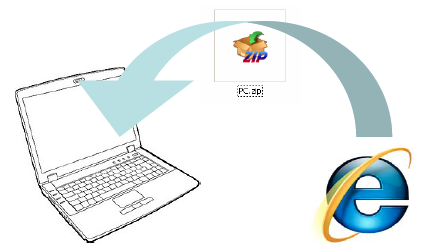
- Extract files from the SpeedcamUpdates zip package. If the file you have downloaded is not a ZIP file means the file is already decompressed, and you can continue with the next step of this installation instructions.
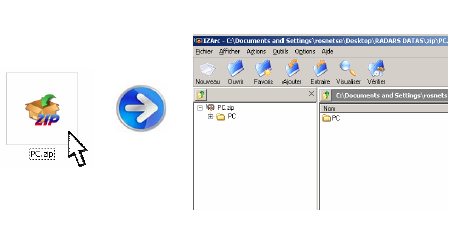
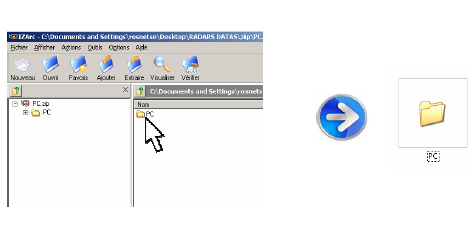
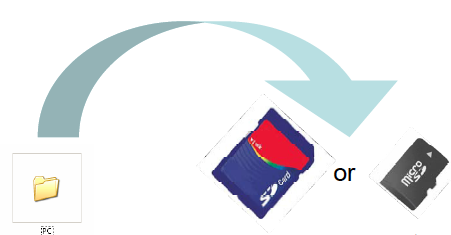
- Copy the folder « PC » onto a SD card
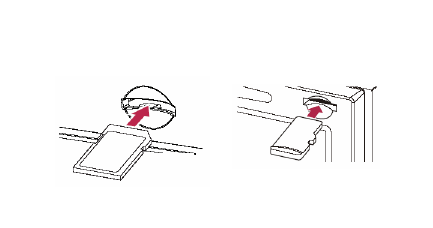
- Insert the (Micro)SD card in your NavGate system
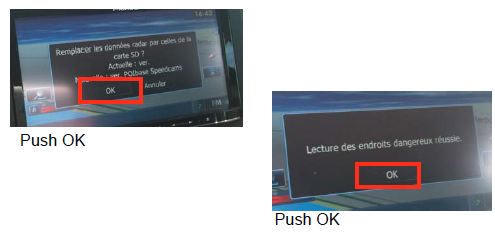
- Once SD card inserted, follow the screen instructions
- Your system is ready to work !
Pioneer AVIC-Z140BT Speed Camera Update Information
The Pioneer AVIC-Z140BT features comprehensive map coverage, ensuring you have access to the latest road networks, addresses, and points of interest. Regular map updates are crucial for maintaining routing accuracy, as they incorporate new and modified roads, enhancing your navigation experience. Keeping your map database current allows for more efficient travel planning and helps you avoid outdated routes. To ensure optimal performance, it is recommended to check for updates periodically, as these updates can significantly improve your overall navigation experience.
Updating the maps on your Pioneer AVIC-Z140BT is a straightforward process. Begin by downloading the latest map updates from the Pioneer website onto a USB drive or SD card. Insert the USB or SD card into the device, and navigate to the settings menu. Select the map update option, and follow the on-screen instructions to complete the installation. Ensure that your device is adequately powered during the update process to avoid interruptions. Once the update is finished, your navigation system will be equipped with the latest maps for improved routing.
The Pioneer AVIC-Z140BT provides reliable route guidance, helping you navigate efficiently to your destination. It offers real-time directions, ensuring you stay on track even in unfamiliar areas. Additionally, the system can alert you to speed cameras, enhancing your awareness of traffic regulations and helping you avoid potential fines. By utilizing the latest map updates, you can ensure that the route guidance remains accurate and relevant, allowing for a smoother driving experience. Regular updates also help in identifying new speed camera locations, further enhancing your navigation safety.
Looking for additional GPS update information and compatible navigation systems?
GPS Update & Installation Guide