
Pioneer AVIC-F20BT
In order to update your GPS device: Pioneer AVIC-F20BT with the latest update, follow next instructions.
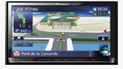
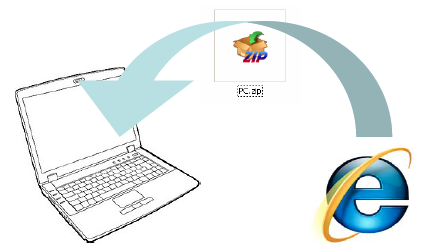
First of all, be sure you got the update file for your Pioneer AVIC-F20BT device, downloaded from SpeedcamUpdates.com.
If still haven't got it, you can get it now filling the form you see on this page.
- Extract files from the SpeedcamUpdates zip package. If the file you have downloaded is not a ZIP file means the file is already decompressed, and you can continue with the next step of this installation instructions.
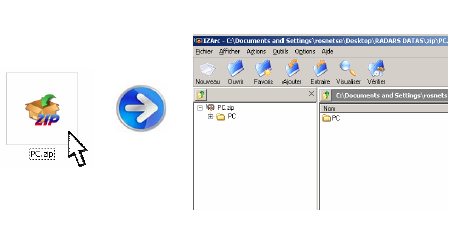
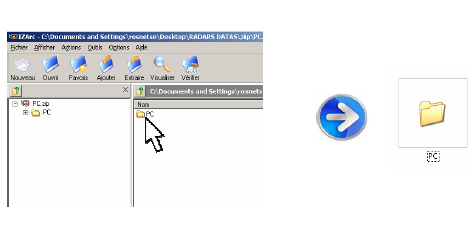
- Copy the folder « PC » onto a SD card
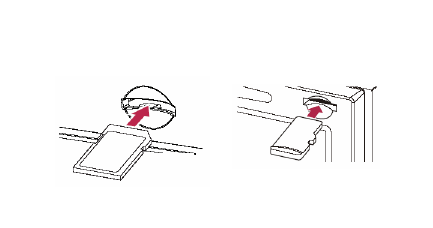
- Insert the (Micro)SD card in your NavGate system
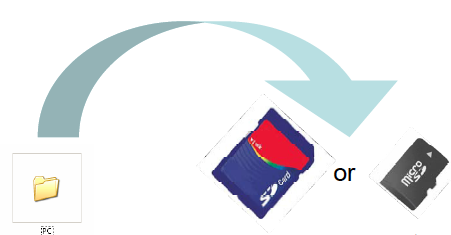
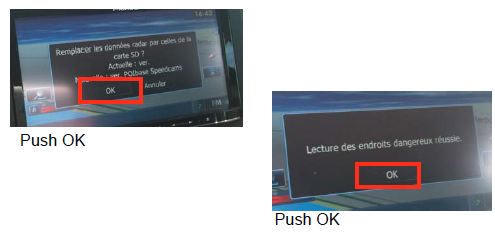
- Once SD card inserted, follow the screen instructions
- Your system is ready to work !
Pioneer AVIC-F20BT Speed Camera Update Information
The Pioneer AVIC-F20BT relies on a comprehensive map database to provide accurate navigation. Regular map updates are essential to ensure that your GPS system reflects the latest road changes, new addresses, and updated signage. Keeping your maps current enhances route accuracy and helps avoid potential navigation errors. To optimize your driving experience, consider ordering the latest map updates for your Pioneer device. This will not only improve the reliability of your navigation but also ensure you have access to the most efficient routes available.
Updating the maps on your Pioneer AVIC-F20BT is a straightforward process that can be done via USB or SD card. First, download the latest map updates from the official Pioneer website onto your computer. Next, transfer the downloaded files to a USB drive or SD card. Insert the USB or SD card into the AVIC-F20BT, and follow the on-screen prompts to initiate the update process. Ensure that your device is powered on and that you have a stable connection throughout the update to avoid any interruptions.
The Pioneer AVIC-F20BT offers precise route guidance, making it easier to navigate unfamiliar areas. The system provides turn-by-turn directions, ensuring you stay on track during your journey. Additionally, the device can alert you to speed camera locations, helping you maintain safe driving habits and avoid potential fines. By utilizing these features, you can enhance your overall navigation experience, making your travels more efficient and stress-free. Regular map updates will further improve the accuracy of these features, ensuring you receive the best guidance possible.
Looking for additional GPS update information and compatible navigation systems?
GPS Update & Installation Guide