
Opel Navi 900
In order to update your GPS device: Opel Navi 900 with the latest update, follow next instructions.
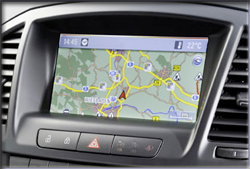
First of all, be sure you got the update file for your Opel Navi 900 device, downloaded from SpeedcamUpdates.com.
If still haven't got it, you can get it now filling the form you see on this page.
- Extract files from the SpeedcamUpdates zip package. If the file you have downloaded is not a ZIP file means the file is already decompressed, and you can continue with the next step of this installation instructions.
- Plug in your PC an empty stick USB not bigger than 1 Gigabyte of memory, and formated in FAT format. Create a folder called 'myPOIs' in the root folder of the USB stick. Finally copy the extracted files before into the folder named 'myPOIs'
- Turn on the ignition of your Opel and plug the USB stick into the USB slot of your Opel Navi 900 device.
- Press the CONFIG button and select the menu item "Navigation settings". In the Settings menu select Import from the own point of interest.
- The camera data are now automatically loaded into the navigation system. This may take a moment. Do not interrupt!
- In the same menu where is the option "Import OWN SPECIAL DESTINATIONS" - select the option located down at all, "Special Notice myPOIs Destination"
- We look for the option with the icon "Cinema" and select it. Now in the next menu choose the option "Display POI early" (This option warns about 400 meters before. While the later option, it does about 200 meters, I recommend the early option)
- To verify the installation. Press the button "NAVI", and once on the map, press the soft key (central wheel)
- In this menu, select "Navigation Options", then "Map options" and then "View POI on the map"
- Once done, select the option "Custom" and then go down and select the option "Automotive", which is at the end down this menu
Remember you can customize freely your download. Get access to the customer control panel and using the customization tool in order to get a customized speedcam database according to your needs. You will need this tool if your device doesn't accept the size of the new update. You can add and remove countries speedcam data to your current setup.
Opel Navi 900 Speed Camera Update Information
The Opel Navi 900 navigation system provides comprehensive map coverage across Europe, encompassing 38 countries and featuring over 6,834,742 points of interest (POIs). This extensive database includes essential locations such as petrol stations, airports, hotels, and restaurants, ensuring that users have access to vital information while on the road. Regular map updates are crucial for maintaining accurate navigation data, as they reflect changes in road networks, new points of interest, and updated traffic regulations. Keeping your maps current enhances the overall navigation experience and ensures you reach your destination efficiently.
To update the Opel Navi 900, users need to utilize an OEM-compatible SD card. Begin by downloading the latest map update from the official Opel website or authorized distributor. Once downloaded, insert the SD card into the navigation system's slot. Follow the on-screen prompts to initiate the installation process. Ensure that the vehicle is in a safe location during the update, as the system may require several minutes to complete the installation. After the update is finished, remove the SD card and store it safely for future reference.
The Opel Navi 900 offers precise route guidance, helping drivers navigate efficiently to their destinations. The system provides turn-by-turn directions, ensuring clarity at each junction. Additionally, the navigation system can alert users to speed camera locations, enhancing road safety and compliance with traffic regulations. By utilizing the latest map updates, drivers can benefit from real-time information regarding speed limits and potential hazards, allowing for a safer driving experience. Regular updates ensure that the navigation system remains reliable and effective in guiding users through unfamiliar areas.
Looking for additional GPS update information and compatible navigation systems?
GPS Update & Installation Guide