
Dacia MediaNav - Evolution 1 (MN1)
In order to update your GPS device: Dacia MediaNav - Evolution 1 (MN1) with the latest update, follow next instructions.
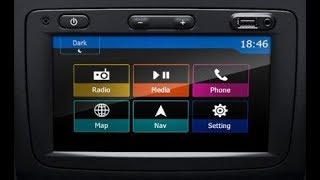
First of all, be sure you got the update file for your Dacia MediaNav - Evolution 1 (MN1) device, downloaded from SpeedcamUpdates.com.
If still haven't got it, you can get it now filling the form you see on this page.
- Extract files from the SpeedcamUpdates zip package. If the file you have downloaded is not a ZIP file means the file is already decompressed, and you can continue with the next step of this installation instructions.
- Using an USB stick formatted in FAT32 copy all the files you extracted in the step before.
- Start your car and plug in your USB stick into your Medianav device.
- In order to do the installation using MN1 ( MediaNav 1 ) you have to follow the next installation instructions.
- The installation is made thru a hidden menu. Because of that you need to get access to the System Information menu to see what is the version of your model. Depending on the version you own, you will have to use a different secret code.
- Back to main menu and select Settings. Move to second page and select system version.
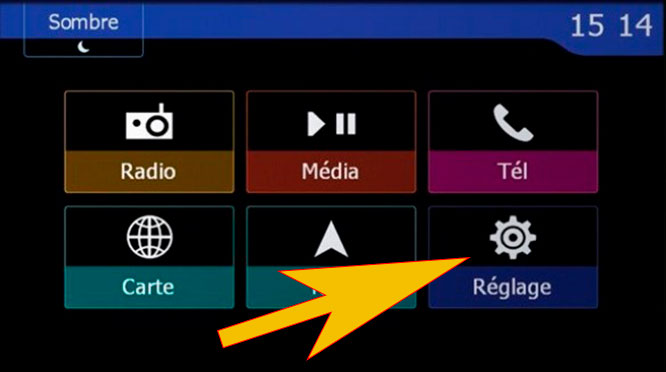
- Follow the image to touch in the indicated boxes keeping the sequence order.
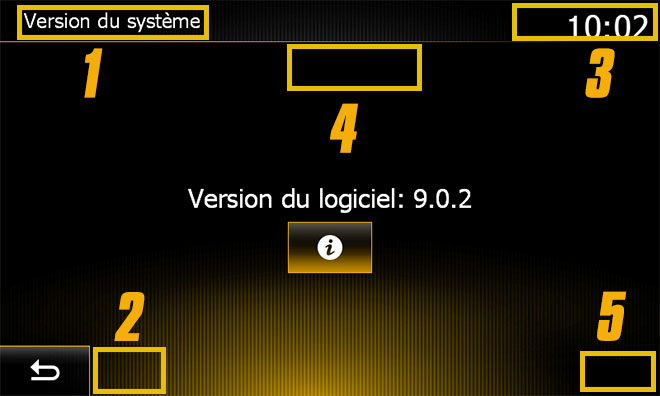
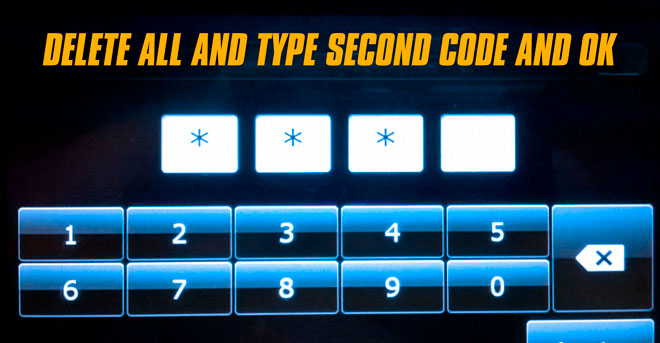
- You see now the first screen to enter code. According to your system version, and the box shown above in this web page, type the first 4 digits and press OK button.
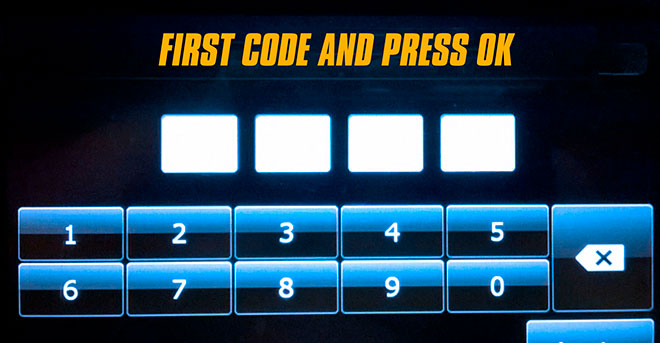
- Once you pressed OK, delete the 4 digits by pressing delete key four times. Now type the 4 digits of the second code, shown in the box above in this web page and press OK button.
- If everything went well, at this point, you will see the Windows CE screen.
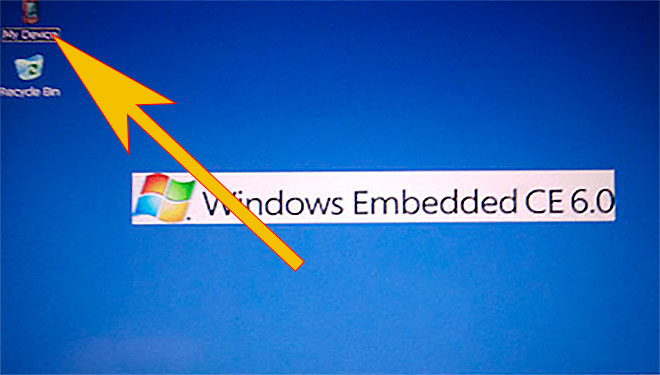
- Touch MyDevice icon at the top left to start the file manager
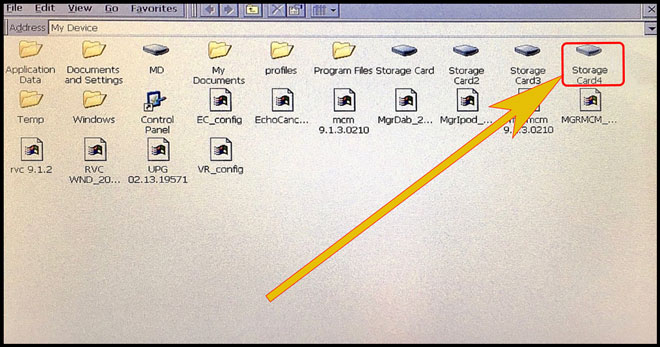
- Using the file explorer touch "Storage_Card_4". When the folder is open you will see a file named ULC2_recovery.exe. Run it by double clicking on it. The SpeedcamUpdates.spb file will be copied in the right folder automatically.
- After a couple of seconds you will see a message about successfull installation. You can follow the next steps to enable the SpeedcamUpdates icons to be shown on the map.
- Once you are in the map. Touch the boton named as Destination
- Select Map POIS settings
- Now select the right arrow in the option: special target icon
- Look for the SpeedcamUpdates category icon and enable it to allow to be shown on the map.
Desktop WinCE MN1
Secret code: 8005 and 3638
Desktop WinCe MNE 8.0.5
Secret code: 0362 and 6971
Desktop WinCE MNE 9.1.1
Secret code: 2383 and 3748
In order to see the SpeedcamUpdates icons on the map follow the next instructions. Valid for MediaNav devices MN1,MN2 and MN3.
Remember you can customize freely your download. Get access to the customer control panel and using the customization tool in order to get a customized speedcam database according to your needs. You will need this tool if your device doesn't accept the size of the new update. You can add and remove countries speedcam data to your current setup.
Dacia MediaNav - Evolution 1 (MN1) Speed Camera Update Information
The Dacia MediaNav - Evolution 1 (MN1) provides extensive map coverage, ensuring that users have access to the latest road networks and points of interest. Regular map database updates are crucial for maintaining accurate navigation. The latest update version, 03-2025, includes essential changes to road layouts, new routes, and updated traffic regulations. Keeping your maps current enhances the overall navigation experience, allowing for more efficient route planning and minimizing the risk of encountering outdated information while driving. It is advisable to check for updates periodically to ensure optimal performance of the GPS navigation system.
To update the Dacia MediaNav - Evolution 1 (MN1), users can follow a straightforward USB/SD installation process. Begin by downloading the latest map update files from the official source onto a USB drive or SD card. Insert the USB or SD card into the MediaNav device, and navigate to the update section in the settings menu. The system will prompt you to initiate the update process. Follow the on-screen instructions to complete the installation. Ensure that the vehicle is in a safe location during the update to avoid interruptions, and do not turn off the device until the process is finished.
The Dacia MediaNav - Evolution 1 (MN1) offers reliable route guidance, helping drivers navigate efficiently to their destinations. The system provides turn-by-turn directions, ensuring clarity at each junction. Additionally, users can benefit from speed camera alerts, which enhance safety by notifying drivers of potential speed traps along their route. This feature is particularly useful for maintaining compliance with speed limits and avoiding fines. By utilizing these navigation functionalities, drivers can enjoy a more informed and secure driving experience, making the most of their MediaNav system.
Looking for additional GPS update information and compatible navigation systems?
GPS Update & Installation Guide