
Magellan Roadmate 700
In order to update your GPS device: Magellan Roadmate 700 with the latest update, follow next instructions.
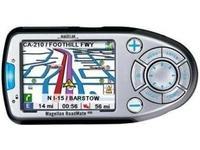
First of all, be sure you got the update file for your Magellan Roadmate 700 device, downloaded from SpeedcamUpdates.com.
If still haven't got it, you can get it now filling the form you see on this page.
- Extract files from the SpeedcamUpdates zip package. If the file you have downloaded is not a ZIP file means the file is already decompressed, and you can continue with the next step of this installation instructions.
- Power on your Magellan Roadmate 700 device and then connect it using USB cable to your PC.
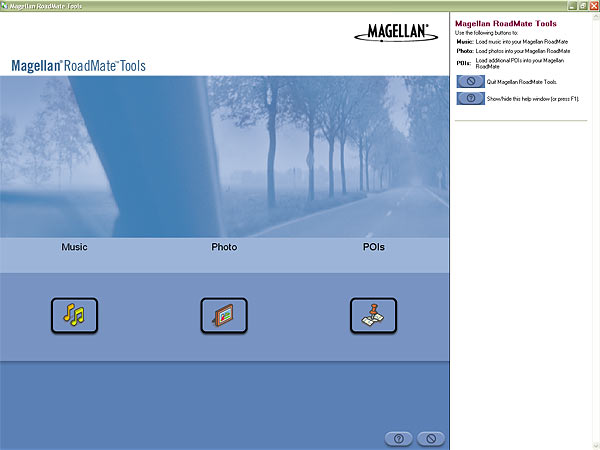
- Run the software "Magellan RoadMate Tools" and click POIs button.
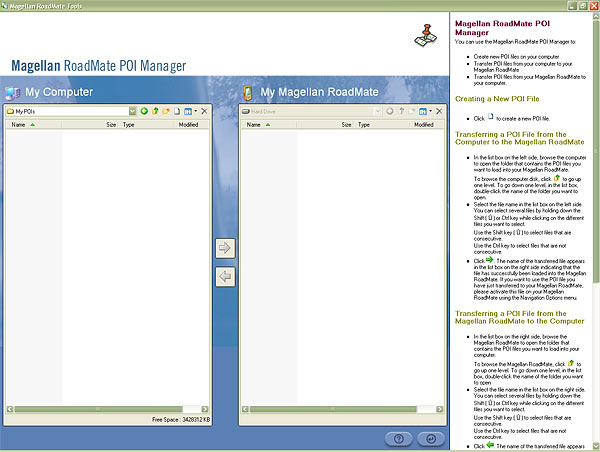
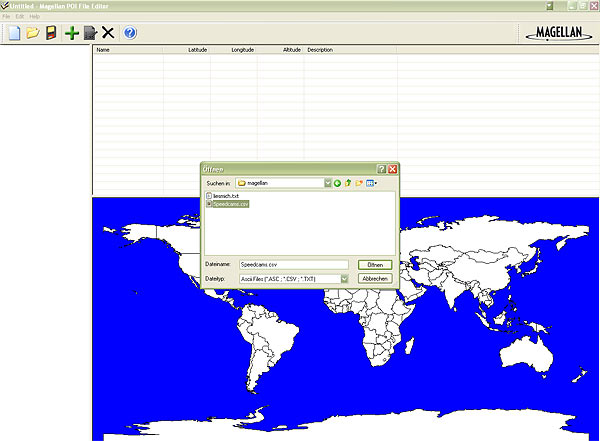
- Click on the Icon for creating a new POI file. Then "Magellan POI File Editor" will start automatically. Please go to File | Open and select data format ASCII Files (*.ASC ; *.CSV ; *.TXT). Open the folder containing the unzipped files and select Speedcams.csv and confirm your choice with Open. In next window select "Semicolon" as delimiter and click Next.
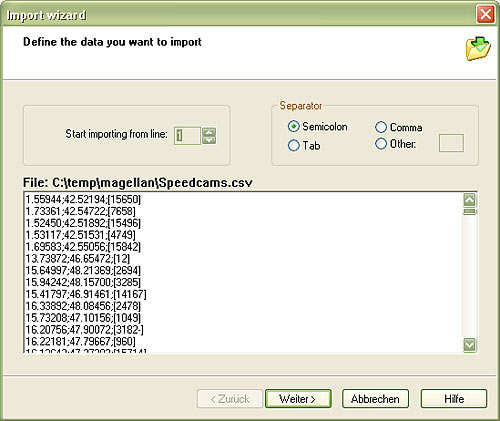
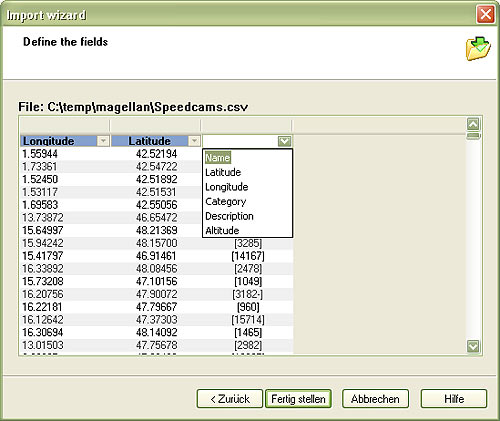
- Establish a relation with the file contents. Give a name for each column. First column is Longitude, the second one is Latitude, and the last one is the Name. Then click Finish.
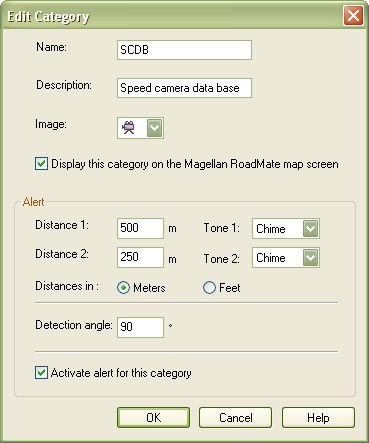
- Select Default category and click Modify. Adjust Distance1 to 500 metres and Distance2 to 250. Set a name and description to identify this group as speedcam. Click on Activate Alert.
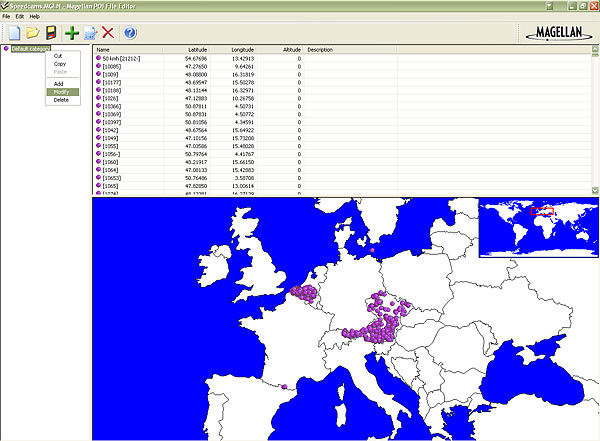
- Go to File | Save As... and save this category in your hard drive with the file name Speedcams.MGLN. Close "Magellan POI File Editor" and go back to "Magellan RoadMate POI Manager". Once finished, proceed to export the file named Speedcams.MGLN to your Magellan Roadmate 700 device
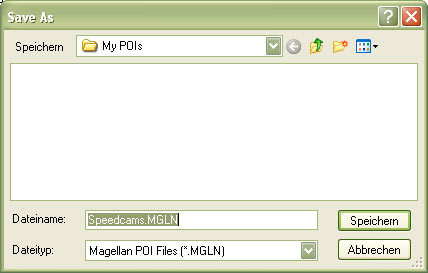
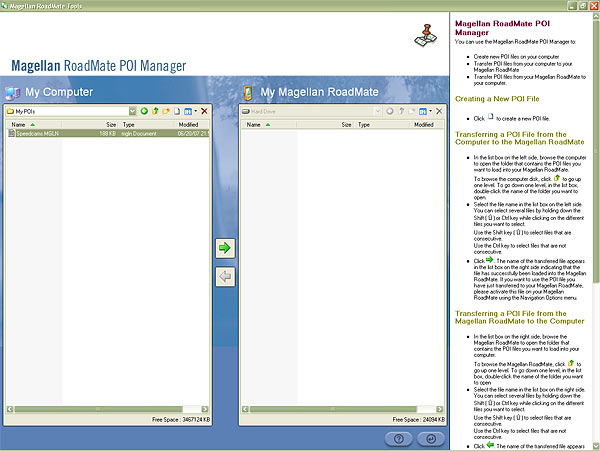
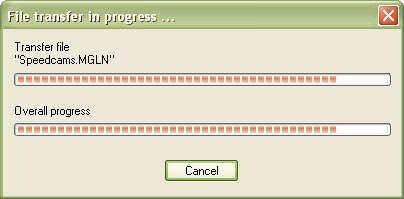
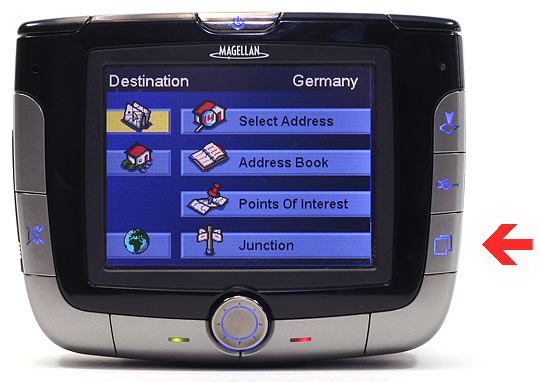
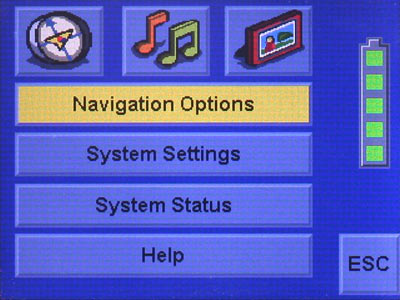
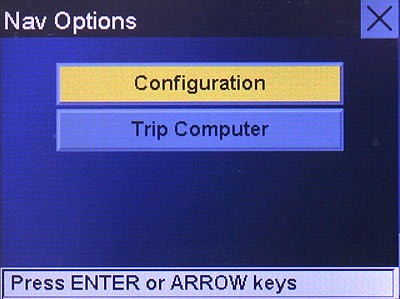
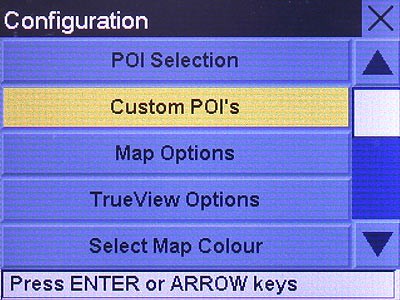
- Disconnect your Magellan Roadmate 700 device from your PC. Go to system settings, open the following menu Navigation Options/Configuration/Custom POI's/... and select the POI file Speedcams.
Remember you can customize freely your download. Get access to the customer control panel and using the customization tool in order to get a customized speedcam database according to your needs. You will need this tool if your device doesn't accept the size of the new update. You can add and remove countries speedcam data to your current setup.
Roadmate 700 Speed Camera Update Information
The Magellan RoadMate 700 features a built-in mapping database that includes detailed maps of the U.S. and major Canadian metropolitan areas. To ensure optimal navigation performance, it is essential to keep the map data updated. Regular updates can enhance route accuracy, provide new road information, and improve overall navigation efficiency. Users should check for the latest map updates periodically to take advantage of any changes in road layouts, new points of interest, and other relevant geographic information that may affect travel routes.
To update the maps on your Magellan RoadMate 700, begin by downloading the Magellan MapSend software onto your PC. Once installed, connect the GPS device to your computer using a USB cable. The software will automatically detect the RoadMate 700. Follow the on-screen prompts to initiate the map update process. This straightforward workflow allows users to easily install the latest map data, ensuring that their navigation device remains current and effective for route planning.
The Magellan RoadMate 700 provides turn-by-turn voice navigation, allowing users to receive real-time directions while driving. This feature is particularly useful for navigating unfamiliar areas, as it helps drivers focus on the road without needing to glance at the screen constantly. Additionally, the device can alert users to speed camera locations, enhancing safety and compliance with traffic regulations. By utilizing these features, drivers can navigate efficiently and avoid potential fines while on the road.
Looking for additional GPS update information and compatible navigation systems?
GPS Update & Installation Guide