
Magellan Roadmate 3050T
In order to update your GPS device: Magellan Roadmate 3050T with the latest update, follow next instructions.
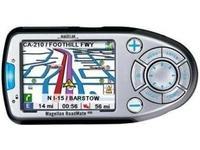
First of all, be sure you got the update file for your Magellan Roadmate 3050T device, downloaded from SpeedcamUpdates.com.
If still haven't got it, you can get it now filling the form you see on this page.
- Extract files from the SpeedcamUpdates zip package. If the file you have downloaded is not a ZIP file means the file is already decompressed, and you can continue with the next step of this installation instructions.
- Power on your Magellan Roadmate 3050T device and then connect it using USB cable to your PC.
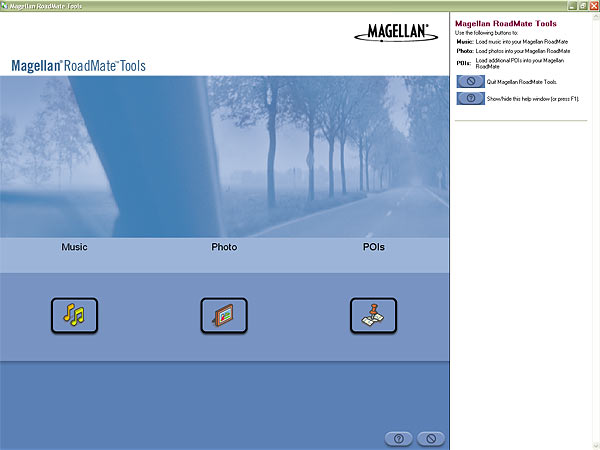
- Run the software "Magellan RoadMate Tools" and click POIs button.
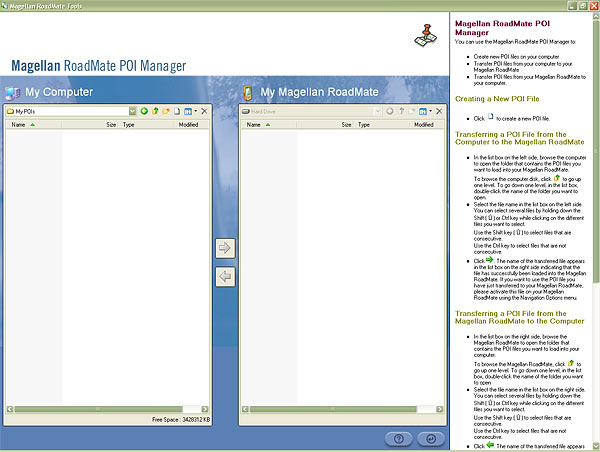
- Click on the Icon for creating a new POI file. Then "Magellan POI File Editor" will start automatically. Please go to File | Open and select data format ASCII Files (*.ASC ; *.CSV ; *.TXT). Open the folder containing the unzipped files and select Speedcams.csv and confirm your choice with Open. In next window select "Semicolon" as delimiter and click Next.
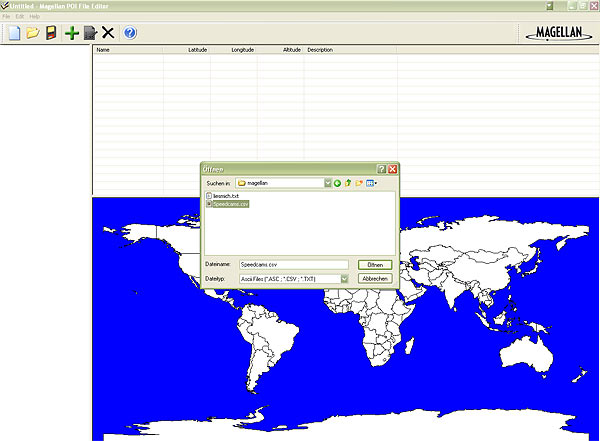
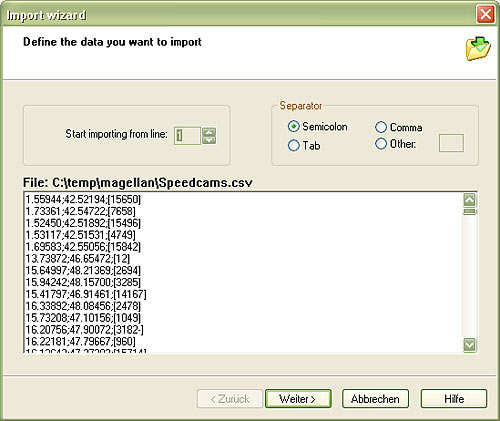
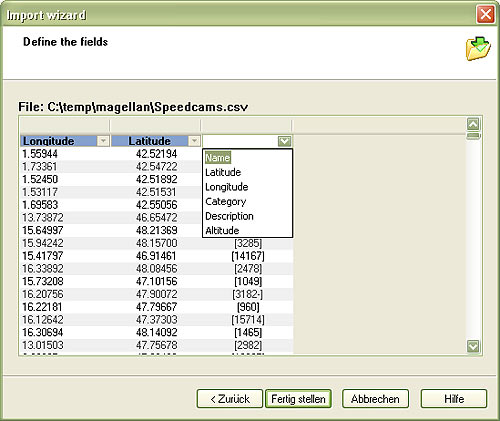
- Establish a relation with the file contents. Give a name for each column. First column is Longitude, the second one is Latitude, and the last one is the Name. Then click Finish.
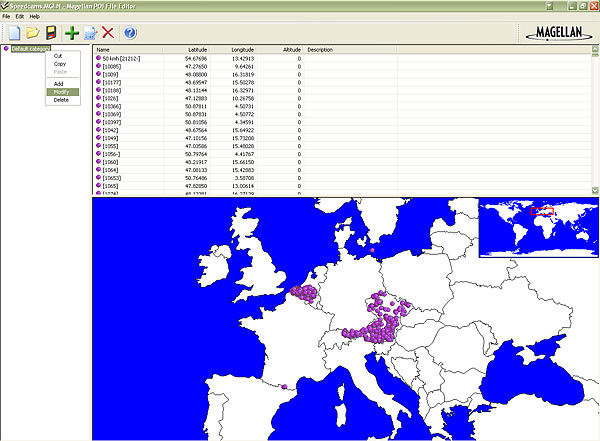
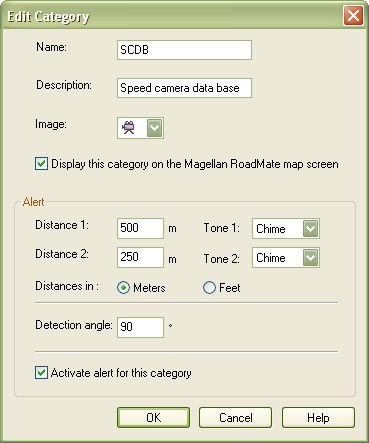
- Select Default category and click Modify. Adjust Distance1 to 500 metres and Distance2 to 250. Set a name and description to identify this group as speedcam. Click on Activate Alert.
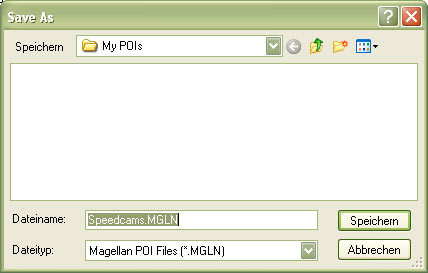
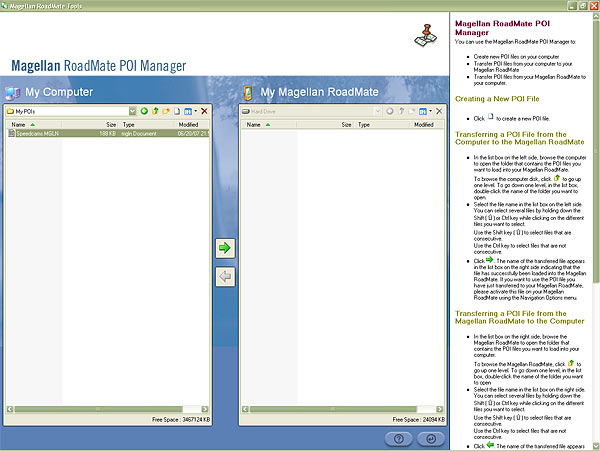
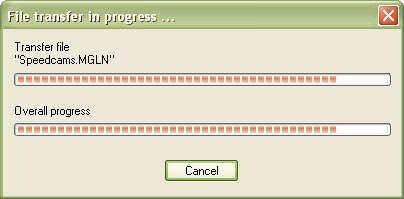
- Go to File | Save As... and save this category in your hard drive with the file name Speedcams.MGLN. Close "Magellan POI File Editor" and go back to "Magellan RoadMate POI Manager". Once finished, proceed to export the file named Speedcams.MGLN to your Magellan Roadmate 3050T device
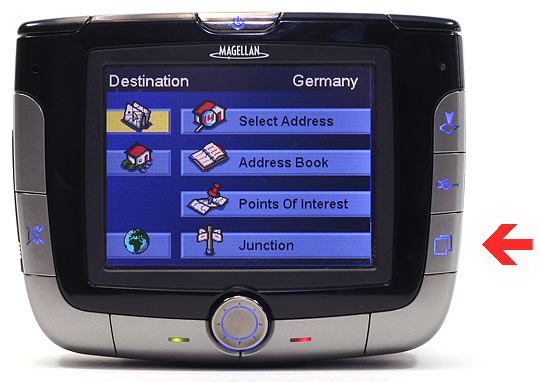
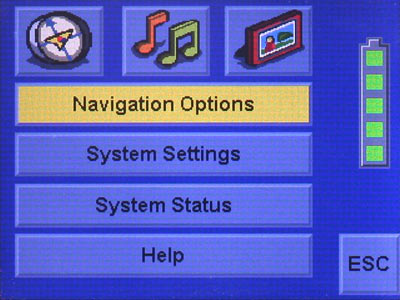
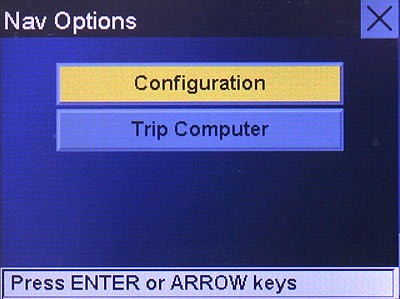
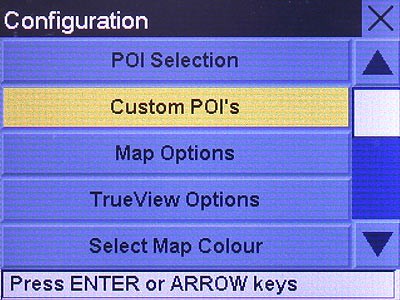
- Disconnect your Magellan Roadmate 3050T device from your PC. Go to system settings, open the following menu Navigation Options/Configuration/Custom POI's/... and select the POI file Speedcams.
Remember you can customize freely your download. Get access to the customer control panel and using the customization tool in order to get a customized speedcam database according to your needs. You will need this tool if your device doesn't accept the size of the new update. You can add and remove countries speedcam data to your current setup.
Roadmate 3050T Speed Camera Update Information
The Magellan RoadMate 3050T offers comprehensive map coverage, including detailed maps of the United States, Canada, and Puerto Rico. With access to over 6 million points of interest, users can easily find destinations, restaurants, and services along their route. Regular map updates are essential for maintaining accurate navigation, ensuring that users have the latest road information and points of interest. Keeping your maps current helps avoid outdated routes and enhances overall navigation efficiency. Users can check for updates periodically to ensure they are utilizing the most accurate and reliable mapping data available for their travels.
Updating the maps on your Magellan RoadMate 3050T is a straightforward process. Users can utilize a USB cable to connect the device to a computer, allowing for easy transfer of map updates. Alternatively, an SD card can be used for installation. Simply download the latest map updates from the Magellan website onto your computer, then transfer them to the GPS device or SD card. This method ensures that the device is equipped with the most current navigation data, enhancing the overall user experience and ensuring accurate route guidance.
The Magellan RoadMate 3050T provides reliable route guidance, helping users navigate efficiently to their destinations. The device features real-time traffic incident reports displayed on its interactive touchscreen, allowing for timely route adjustments. Additionally, the GPS includes alerts for speed cameras, enhancing driver awareness and safety. By integrating these features, the RoadMate 3050T ensures that users can travel with confidence, avoiding potential delays and adhering to speed regulations. This combination of route guidance and safety alerts makes the device a practical tool for everyday navigation.
Looking for additional GPS update information and compatible navigation systems?
GPS Update & Installation Guide