
TomTom RIDER 2 Europe
In order to update your GPS device: TomTom RIDER 2 Europe with the latest update, follow next instructions.
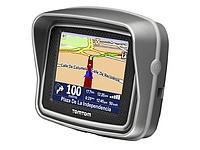
First of all, be sure you got the update file for your TomTom RIDER 2 Europe device, downloaded from SpeedcamUpdates.com.
If still haven't got it, you can get it now filling the form you see on this page.
- Extract files from the SpeedcamUpdates zip package. If the file you have downloaded is not a ZIP file means the file is already decompressed, and you can continue with the next step of this installation instructions.
Method 1.
- This method is valid if you're able to connect your TomTom RIDER 2 Europe device to your PC Computer and get access to the main shared folder of the device.
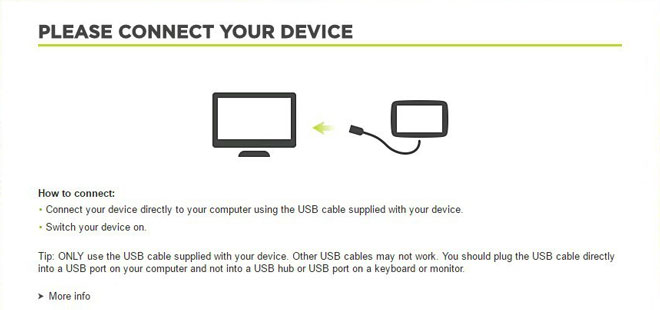
- Plug your TomTom RIDER 2 Europe device to your computer thru USB cable. If everything goes well you should see a new drive that you can explore using Windows Explorer or Finder if you use Mac.
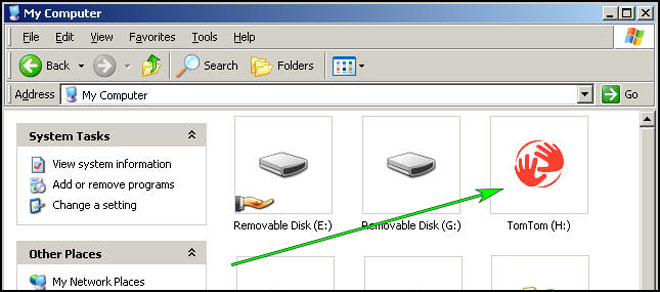
- Using the file explorer look for the folder with a region or country name, like Western Europe, Spain, Italy, United Kingdom.
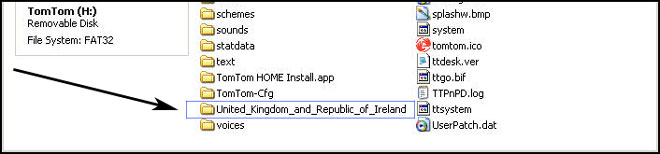
- Copy the extracted files from SpeedcamUpdates, OV2 and BMP, into the map folder you identified in the step before.
- You can enable alerts, and set warning audio when approaching to the speed cameras, in the Enable Alerts section.
- Sign in to your TomTom RIDER 2 Europe account
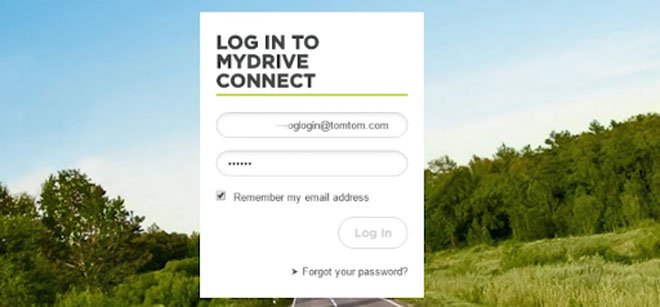
- Register your TomTom RIDER 2 Europe device or select it if it is already registered.
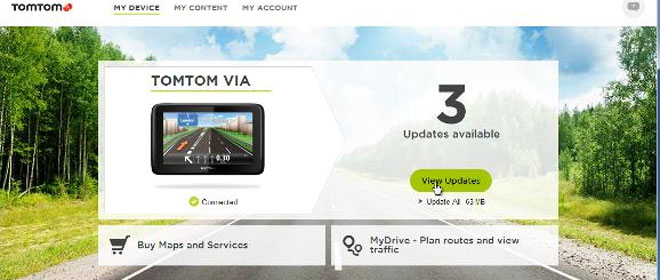
- You're ready now to choose Method 2 or Method 3 for speed cameras installation.
Method 2.
- Using Route Planner
- Go to website: MyDrive
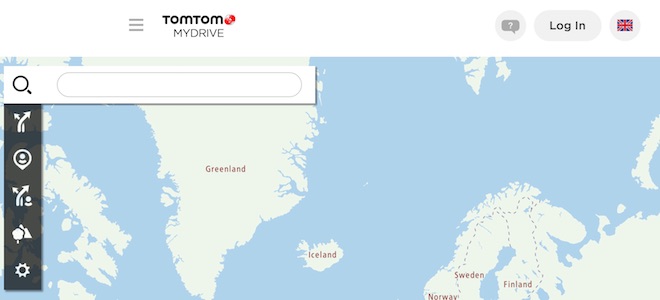
- Do login and click Route Planner => My Places =>POI Files => Import POI file
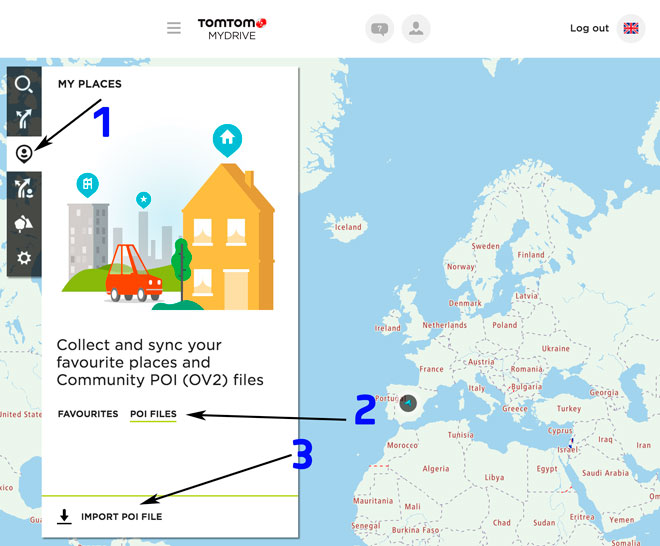
- Select each OV2 file you've downloaded from SpeedcamUpdates and press Import button.
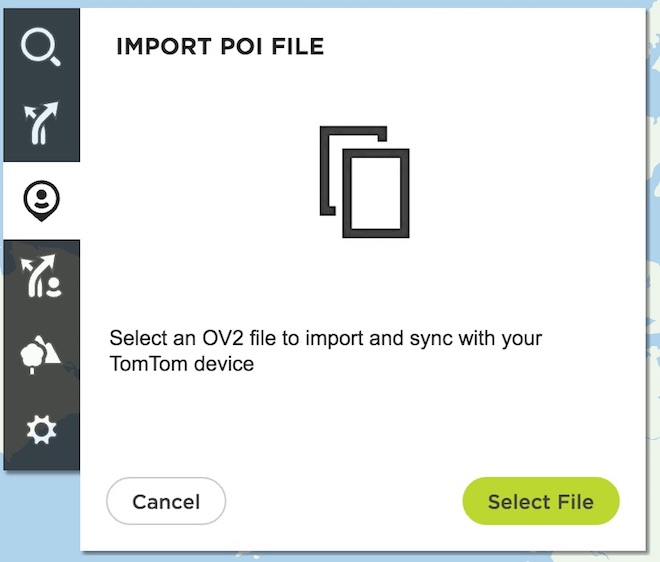
- Files will be automatically transfered to your TomTom RIDER 2 Europe device.
- You can enable alerts, and set warning audio when approaching to the speed cameras, in the Enable Alerts section.
Method 3.
- Using Add Community content with MyDrive
- Right click in MyDrive Connect icon in the system tray and select Manage community content
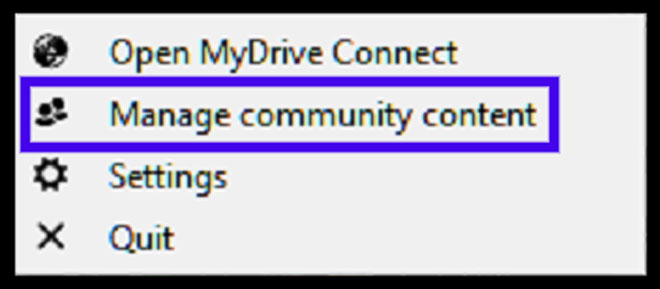
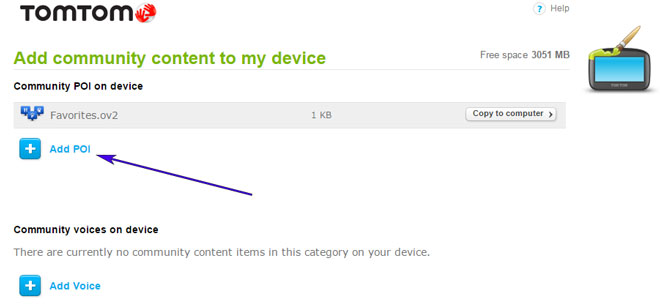
- You have to add each OV2 file downloaded from SpeedcamUpdates by pressing Add Poi button. Remember to add the associated bmp too which is included in the downloaded files.
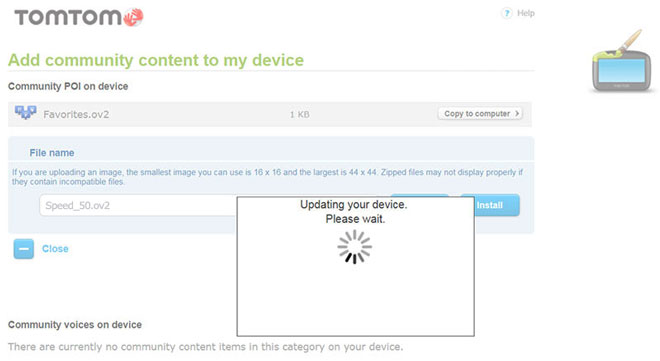
- When you finish press Install to transfer all information to your device.
- Enable Alerts
In order to enable alertes go to Main > Settings > POI settings > Warn when approaching a POI
Search the categories where speedcams are located
Select distance and warning sound per each category
A speaker icon will be shown close to the category name.
There are 3 different methods to install speed cameras in your TomTom device, depending on the capabilities and release date.
In order to use Method 2 or Method 3 you have to install TomTom Software. Follow next instructions to do it.
Download and install software MyDrive from TomTom.
You need a registered TomTom account.
Connect your TomTom device to your computer and run "MyDrive Connect" software.
Remember you can customize freely your download. Get access to the customer control panel and using the customization tool in order to get a customized speedcam database according to your needs. You will need this tool if your device doesn't accept the size of the new update. You can add and remove countries speedcam data to your current setup.
RIDER 2 Europe Speed Camera Update Information
The TomTom RIDER 2 offers extensive map coverage across Europe, ensuring that riders can navigate through various regions with ease. Regular map database updates are crucial for maintaining accurate navigation. Users can benefit from updated road information, points of interest, and changes in traffic regulations. Keeping the maps current enhances the overall riding experience, allowing for smoother journeys and the discovery of new routes. It is essential to check for updates periodically to ensure that the device reflects the latest mapping data, which can significantly improve navigation accuracy and efficiency.
Updating the TomTom RIDER 2 is a straightforward process that involves using a USB connection. Users can connect the device to a computer and access the TomTom Home software or MyDrive Connect, depending on the model. This software facilitates the download and installation of the latest map updates. For those using an SD card, simply insert it into the device, and the software will guide you through the update process. Ensuring that the device is regularly updated helps maintain optimal navigation performance and access to the latest mapping features.
The TomTom RIDER 2 provides reliable route guidance tailored for motorcycle navigation. Riders can expect clear instructions and visual cues, which are essential for safe navigation on the road. Additionally, the device includes features for speed camera alerts, helping users stay informed about potential speed traps along their routes. This functionality not only enhances safety but also aids in adhering to speed limits. By utilizing these features, riders can focus on enjoying their journey while ensuring compliance with traffic regulations.
Looking for additional GPS update information and compatible navigation systems?
GPS Update & Installation Guide