
Peugeot 807 Connect Nav
In order to update your GPS device: Peugeot 807 Connect Nav with the latest update, follow next instructions.
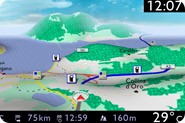
First of all, be sure you got the update file for your Peugeot 807 Connect Nav device, downloaded from SpeedcamUpdates.com.
If still haven't got it, you can get it now filling the form you see on this page.
- Extract files from the SpeedcamUpdates zip package. If the file you have downloaded is not a ZIP file means the file is already decompressed, and you can continue with the next step of this installation instructions.
- Extract your original SD card from your GPS device and insert it into your PC computer using a card reader or any SD adapter.
- Copy all the files you extracted before in the SD memory card of your Peugeot 807 Connect Nav device, in the folder named "/database", replacing any file if needed.
- Insert SD memory card into the Peugeot 807 Connect Nav device. Run in navigation mode by pressing NAV key. Go to Navigation menu/Settings/Speedcams and activate all options: "show speedcams on map", "visible alert" and "acoustic alert".
If speedcam settings is not available in your Peugeot 807 Connect Nav device, you will have to go to an Official Citröen Service to activate it. 'Risk Areas' is disabled by default in some Citröen models depending on GPS model and car year.
Peugeot 807 Connect Nav Speed Camera Update Information
The Peugeot 807 Connect Nav relies on accurate and up-to-date maps for optimal navigation performance. Regular map updates ensure that your GPS system reflects the latest road changes, new points of interest, and updated traffic regulations. The Peugeot Navigation Store provides exclusive access to these map updates, allowing you to maintain comprehensive coverage for your driving routes. By keeping your navigation database current, you can enhance your travel experience, avoid outdated information, and ensure efficient route planning.
Updating the maps on your Peugeot 807 Connect Nav is a straightforward process. You can download the latest map updates from the Peugeot Navigation Store onto a USB drive or SD card. Once you have the updated files, insert the USB or SD card into your navigation system. Follow the on-screen prompts to initiate the installation process. This method allows for a seamless update without the need for internet connectivity, ensuring that your navigation system is equipped with the latest map data.
The Peugeot 807 Connect Nav offers reliable route guidance, helping you navigate efficiently to your destination. With updated maps, the system provides accurate directions, including real-time traffic sign displays. Additionally, the GPS navigation system can alert you to speed camera locations, enhancing your awareness while driving. By utilizing the latest map updates, you can ensure that your route guidance remains precise, allowing for a safer and more informed driving experience.
Looking for additional GPS update information and compatible navigation systems?
GPS Update & Installation Guide