
Peugeot 207 WIP Nav
In order to update your GPS device: Peugeot 207 WIP Nav with the latest update, follow next instructions.
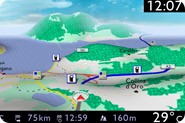
First of all, be sure you got the update file for your Peugeot 207 WIP Nav device, downloaded from SpeedcamUpdates.com.
If still haven't got it, you can get it now filling the form you see on this page.
- Extract files from the SpeedcamUpdates zip package. If the file you have downloaded is not a ZIP file means the file is already decompressed, and you can continue with the next step of this installation instructions.
- Extract your original SD card from your GPS device and insert it into your PC computer using a card reader or any SD adapter.
- Copy all the files you extracted before in the SD memory card of your Peugeot 207 WIP Nav device, in the folder named "/database", replacing any file if needed.
- Insert SD memory card into the Peugeot 207 WIP Nav device. Run in navigation mode by pressing NAV key. Go to Navigation menu/Settings/Speedcams and activate all options: "show speedcams on map", "visible alert" and "acoustic alert".
If speedcam settings is not available in your Peugeot 207 WIP Nav device, you will have to go to an Official Citröen Service to activate it. 'Risk Areas' is disabled by default in some Citröen models depending on GPS model and car year.
Peugeot 207 WIP Nav Speed Camera Update Information
The Peugeot 207 WIP Nav relies on a comprehensive map database to ensure accurate navigation across Europe. Regular map updates are essential for maintaining the reliability of your GPS system. By updating to the latest 2025 GPS EU maps, you gain access to the most current road networks, points of interest, and geographical changes. This ensures that your navigation system provides precise directions and enhances your overall driving experience. Keeping your maps updated is crucial for effective route planning and avoiding outdated information that could lead to navigation errors.
Updating the Peugeot 207 WIP Nav maps is a straightforward process using an SD card. To begin, purchase the latest map update from the Peugeot Navigation Store. Once you have the SD card, insert it into the GPS unit. Follow the on-screen prompts to initiate the update process. Ensure that your vehicle is parked and the ignition is on during the update to prevent any interruptions. After the update is complete, remove the SD card and restart the navigation system to access the new maps. Regular updates will keep your navigation system functioning optimally.
The Peugeot 207 WIP Nav provides reliable route guidance, helping you navigate efficiently to your destination. With updated maps, the system can offer real-time traffic data, allowing for better route planning and adjustments based on current conditions. Additionally, the GPS unit can alert you to speed camera locations, enhancing your awareness while driving. Utilizing these features ensures a safer and more informed driving experience, making it essential to keep your navigation system updated with the latest map data.
Looking for additional GPS update information and compatible navigation systems?
GPS Update & Installation Guide