
Navman F30
In order to update your GPS device: Navman F30 with the latest update, follow next instructions.
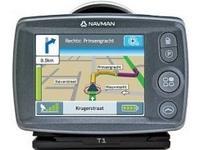
First of all, be sure you got the update file for your Navman F30 device, downloaded from SpeedcamUpdates.com.
If still haven't got it, you can get it now filling the form you see on this page.
- Extract files from the SpeedcamUpdates zip package. If the file you have downloaded is not a ZIP file means the file is already decompressed, and you can continue with the next step of this installation instructions.
- Power on your Navman F30 device and then connect it using an USB cable to your PC. Run NavDesk. ( You can download from the link below ). Click "File >> Open Text File". Select one CSV file and click "File >> Save to device". Set a name for the category. Enable visual alert. audio alert, and adjust distance to be warned when speedcam approaching. Press OK to confirm your choices and then, finally click Copy POI button for transfering the information to your Navman F30 device.
Remember you can customize freely your download. Get access to the customer control panel and using the customization tool in order to get a customized speedcam database according to your needs. You will need this tool if your device doesn't accept the size of the new update. You can add and remove countries speedcam data to your current setup.
Navman F30 Speed Camera Update Information
The Navman F30 is equipped with comprehensive mapping for the UK and Ireland, including detailed coverage of England, Scotland, Wales, Northern Ireland, and the Republic of Ireland. Regular map updates are essential for maintaining accurate navigation, as they ensure that users have access to the latest road changes, new points of interest, and updated traffic regulations. Keeping the map database current enhances the overall navigation experience, allowing for efficient route planning and improved travel accuracy. Users should regularly check for updates to ensure they are utilizing the most reliable mapping information available.
Updating the Navman F30's maps is a straightforward process. Users can connect the device to a computer via USB or utilize an SD card for installation. To begin, download the latest map updates from the Navman website. Once downloaded, transfer the files to the device or SD card, following the provided instructions. Ensure that the device is fully charged and properly connected during the update process to avoid interruptions. After the transfer is complete, restart the device to finalize the installation of the new maps, ensuring optimal navigation performance.
The Navman F30 offers precise route guidance, helping users navigate efficiently to their destinations. The device provides turn-by-turn directions, ensuring that drivers stay on track and reach their locations without unnecessary detours. Additionally, the F30 includes features for speed camera alerts, enhancing safety by notifying users of potential speed traps along their route. This functionality allows drivers to adjust their speed accordingly, promoting adherence to traffic laws and reducing the risk of fines. Overall, the Navman F30 is designed to enhance the navigation experience with reliable guidance and safety features.
Looking for additional GPS update information and compatible navigation systems?
GPS Update & Installation Guide