
NavGear GT-43-3D
In order to update your GPS device: NavGear GT-43-3D with the latest update, follow next instructions.
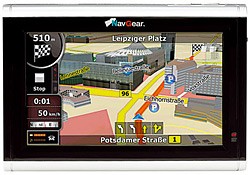
First of all, be sure you got the update file for your NavGear GT-43-3D device, downloaded from SpeedcamUpdates.com.
If still haven't got it, you can get it now filling the form you see on this page.
- Extract files from the SpeedcamUpdates zip package. If the file you have downloaded is not a ZIP file means the file is already decompressed, and you can continue with the next step of this installation instructions.
- In order to complete your installation you have to choose your installation method depending on the capabilities of your NavGear GT-43-3D device. If your device supports usb connection, you have to connect it to your PC. Once your device is detected by your PC, look for in the new storage drive, the folder containing the information we want to update. Usually it is contained in ".../CONTENT/speedcam". If your device uses SD memory card, extract it, and plug it into your PC to have access to the folders. Look for the folder ".../CONTENT/speedcam". Remove any previously file contained in the ".../CONTENT/speedcam" folder. (txt file, spud file, spb file ) Copy the unzipped files into that folder (usually it should be a txt file). Then restart your GPS device. The new spud and spb files will be created by the device. Installation is complete.
Remember you can customize freely your download. Get access to the customer control panel and using the customization tool in order to get a customized speedcam database according to your needs. You will need this tool if your device doesn't accept the size of the new update. You can add and remove countries speedcam data to your current setup.
NavGear GT-43-3D Speed Camera Update Information
Der NavGear GT-43-3D bietet umfassende Kartenabdeckung für Europa, die regelmäßig aktualisiert werden sollte, um präzise Navigation zu gewährleisten. Um die besten Ergebnisse zu erzielen, ist es wichtig, die neuesten Kartenupdates herunterzuladen, die neue Straßen, Änderungen in der Infrastruktur und aktuelle POIs (Points of Interest) enthalten. Diese Updates sind entscheidend, um sicherzustellen, dass Sie immer die aktuellsten Informationen während Ihrer Fahrten zur Verfügung haben. Überprüfen Sie regelmäßig die Verfügbarkeit von Kartenupdates, um die Effizienz und Genauigkeit Ihrer Navigation zu maximieren.
Um Kartenupdates für den NavGear GT-43-3D zu installieren, benötigen Sie einen Computer mit USB-Anschluss oder eine SD-Karte. Zuerst verbinden Sie das Gerät über das USB-Kabel mit dem Computer oder entnehmen die SD-Karte und stecken sie in einen Kartenleser. Laden Sie die neuesten Kartenupdates von der offiziellen NavGear-Website herunter. Folgen Sie den Anweisungen zur Installation, um die neuen Karten auf das Gerät oder die SD-Karte zu übertragen. Nach Abschluss des Updates können Sie die SD-Karte wieder in das Gerät einsetzen oder das USB-Kabel trennen, um die aktualisierte Navigation zu nutzen.
Der NavGear GT-43-3D bietet präzise Routenführung, die auf den aktuellen Karten basiert. Während der Navigation erhalten Sie klare Anweisungen, die Ihnen helfen, sicher und effizient ans Ziel zu gelangen. Zudem unterstützt das Gerät die Anzeige von Geschwindigkeitskameras, die Ihnen helfen, Geschwindigkeitsüberschreitungen zu vermeiden. Diese Funktion ist besonders nützlich, um Bußgelder zu verhindern und die Sicherheit während der Fahrt zu erhöhen. Achten Sie darauf, dass die Daten zu Geschwindigkeitskameras regelmäßig aktualisiert werden, um die Genauigkeit der Warnungen zu gewährleisten.
Looking for additional GPS update information and compatible navigation systems?
GPS Update & Installation Guide