
Magellan Maestro 3100
In order to update your GPS device: Magellan Maestro 3100 with the latest update, follow next instructions.
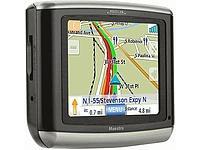
First of all, be sure you got the update file for your Magellan Maestro 3100 device, downloaded from SpeedcamUpdates.com.
If still haven't got it, you can get it now filling the form you see on this page.
- Extract files from the SpeedcamUpdates zip package. If the file you have downloaded is not a ZIP file means the file is already decompressed, and you can continue with the next step of this installation instructions.
- Power on your Magellan Maestro 3100 device and then connect it using USB cable to your PC.
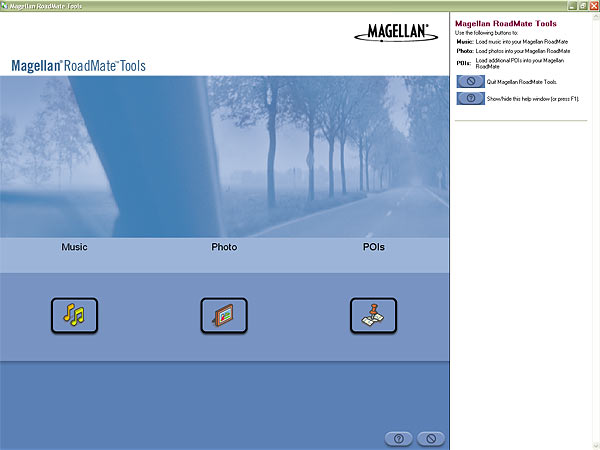
- Run the software "Magellan RoadMate Tools" and click POIs button.
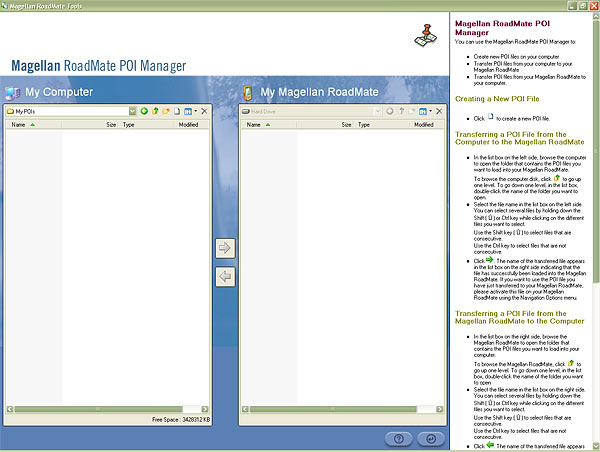
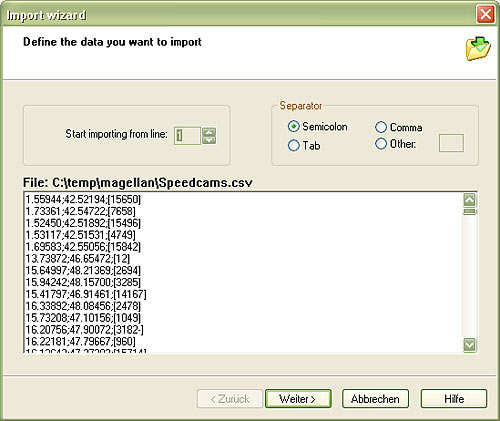
- Click on the Icon for creating a new POI file. Then "Magellan POI File Editor" will start automatically. Please go to File | Open and select data format ASCII Files (*.ASC ; *.CSV ; *.TXT). Open the folder containing the unzipped files and select Speedcams.csv and confirm your choice with Open. In next window select "Semicolon" as delimiter and click Next.
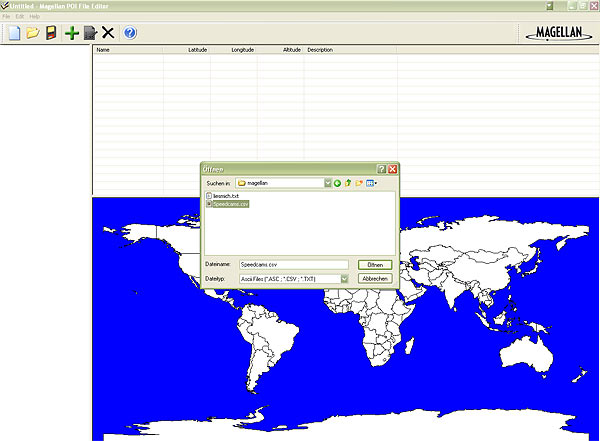
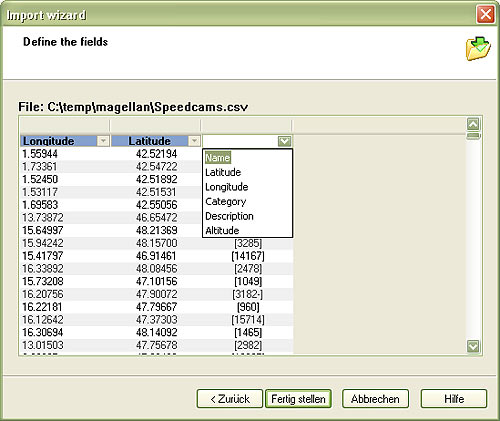
- Establish a relation with the file contents. Give a name for each column. First column is Longitude, the second one is Latitude, and the last one is the Name. Then click Finish.
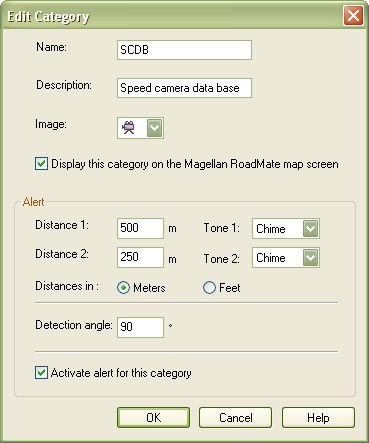
- Select Default category and click Modify. Adjust Distance1 to 500 metres and Distance2 to 250. Set a name and description to identify this group as speedcam. Click on Activate Alert.
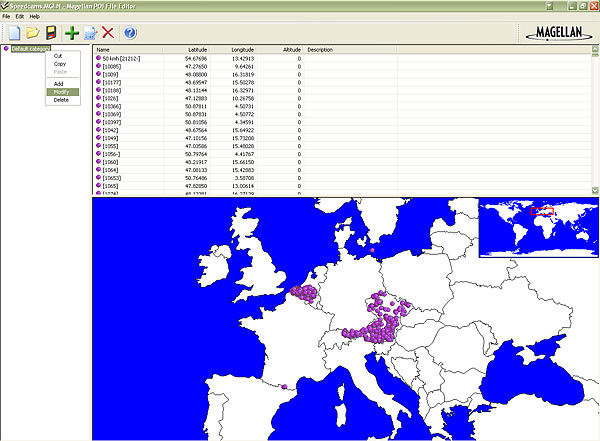
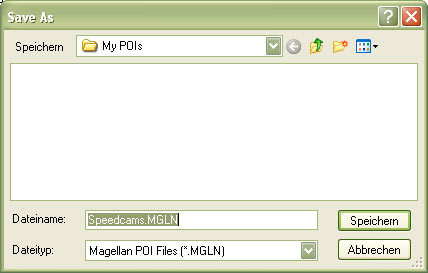
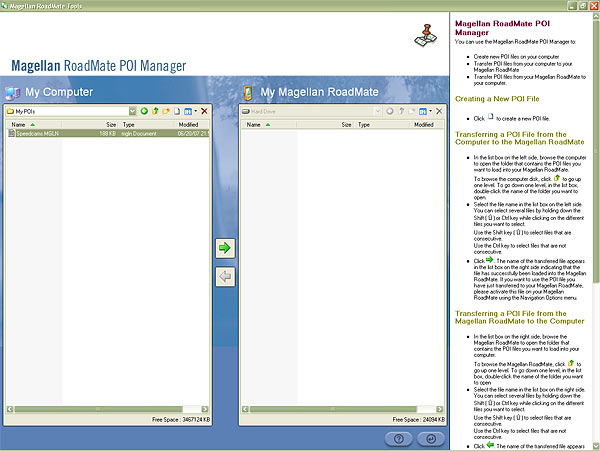
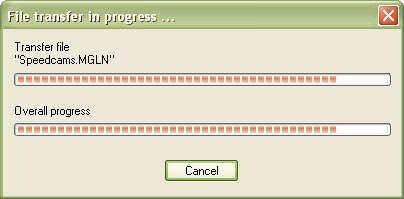
- Go to File | Save As... and save this category in your hard drive with the file name Speedcams.MGLN. Close "Magellan POI File Editor" and go back to "Magellan RoadMate POI Manager". Once finished, proceed to export the file named Speedcams.MGLN to your Magellan Maestro 3100 device
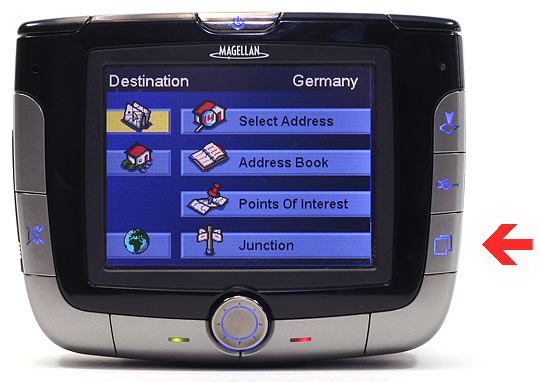
- Disconnect your Magellan Maestro 3100 device from your PC. Go to system settings, open the following menu Navigation Options/Configuration/Custom POI's/... and select the POI file Speedcams.
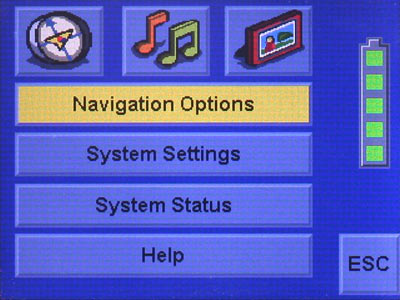
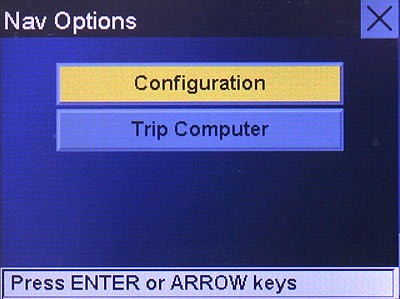
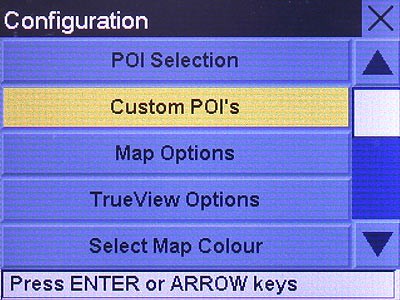
Remember you can customize freely your download. Get access to the customer control panel and using the customization tool in order to get a customized speedcam database according to your needs. You will need this tool if your device doesn't accept the size of the new update. You can add and remove countries speedcam data to your current setup.
Maestro 3100 Speed Camera Update Information
The Magellan Maestro 3100 comes preloaded with maps covering the contiguous United States, ensuring users have access to essential navigation data. With an extensive database featuring 750,000 points of interest, the device allows for efficient route planning and exploration. Regular map updates are crucial for maintaining accurate navigation, as they provide the latest road changes, new points of interest, and updated traffic regulations. Users should check for available updates periodically to enhance their navigation experience and ensure they are utilizing the most current mapping information.
To update the maps on the Magellan Maestro 3100, users can utilize the SD card slot for easy installation. First, download the latest map updates from the Magellan website onto a compatible SD card. Insert the card into the device, and follow the on-screen prompts to initiate the update process. This straightforward workflow allows for efficient map management, ensuring that users can keep their navigation system current without complicated procedures. It’s important to ensure that the device is charged and powered on during the update to avoid interruptions.
The Magellan Maestro 3100 provides reliable route guidance, utilizing the SiRFstarIII chipset for enhanced GPS accuracy. Users can expect clear directions and timely alerts throughout their journey. Additionally, the device is equipped to notify users of speed camera locations, helping to promote safe driving practices. This feature is particularly useful for navigating unfamiliar areas, as it provides real-time alerts that can assist in maintaining compliance with speed limits. Overall, the Maestro 3100 is designed to enhance navigation efficiency while prioritizing user safety.
Looking for additional GPS update information and compatible navigation systems?
GPS Update & Installation Guide