
Becker Ready 43 Traffic
In order to update your GPS device: Becker Ready 43 Traffic with the latest update, follow next instructions.
First of all, be sure you got the update file for your Becker Ready 43 Traffic device, downloaded from SpeedcamUpdates.com.
If still haven't got it, you can get it now filling the form you see on this page.
- Extract files from the SpeedcamUpdates zip package. If the file you have downloaded is not a ZIP file means the file is already decompressed, and you can continue with the next step of this installation instructions.
- Connect your Becker Ready 43 Traffic device using an USB cable to your PC. Once your PC has detected your GPS device as an external storage drive open the folder "./iGO8/CONTENT/speedcam". Copy in this folder the files extracted from the zip file before.
- Once the files have been copied into your Becker Ready 43 Traffic device, unplug USB cable and then reboot the Becker Ready 43 Traffic device.
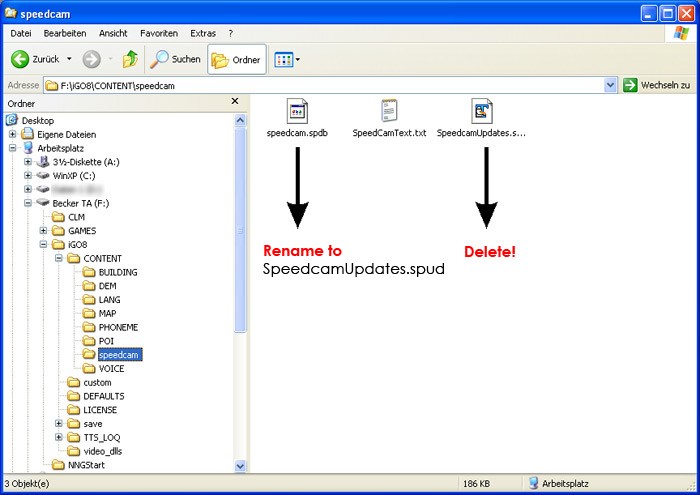
- When the Becker Ready 43 Traffic device finishes its startup, connect it again to your PC. Open again the folder "./iGO8/CONTENT/speedcam". Now you will see two more files, called speedcam.spdb and SpeedcamUpdates.spud respectively. Delete the file called SpeedcamUpdates.spud. Finally rename "speedcam.spdb" as SpeedcamUpdates.spud
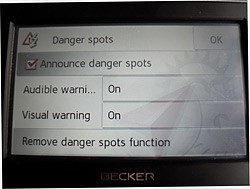
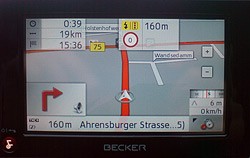
- Unplug your Becker Ready 43 Traffic device from your PC. Reboot your Becker Ready 43 Traffic device. Now, go outside to get GPS coverage. Check that a new menu has been created. Go to "Settings/Navigation settings/Danger spot" or "Settings/Navigation settings/speedcam". Double check that every option is adjusted to your preferences.
 |  |
Remember you can customize freely your download. Get access to the customer control panel and using the customization tool in order to get a customized speedcam database according to your needs. You will need this tool if your device doesn't accept the size of the new update. You can add and remove countries speedcam data to your current setup.
Becker Ready 43 Traffic Speed Camera Update Information
The Becker Ready 43 Traffic GPS device offers comprehensive map coverage for 19 countries in Central Europe. Regular map updates are essential to ensure you have the latest routes, avoiding outdated information that could lead to delays. With updated maps, you can navigate around road closures and detours, enhancing your travel efficiency. Keeping your map database current allows for accurate route planning and helps you reach your destination without unnecessary interruptions. Regular updates are crucial for maintaining optimal navigation performance and ensuring you have access to the most reliable information while on the road.
Updating your Becker Ready 43 Traffic GPS is straightforward with USB or SD card installation. To begin, download the latest map updates from the Becker website. Connect your device to your computer using a USB cable or insert the SD card into your computer's card reader. Follow the provided installation instructions to transfer the updated maps to your device. Ensure that your GPS is fully charged before starting the update process. Once the transfer is complete, safely eject the device or SD card and restart your GPS to access the new maps.
The Becker Ready 43 Traffic GPS provides precise route guidance, helping you navigate efficiently to your destination. With its built-in TMC Traffic Receiver, the device can inform you of real-time traffic conditions, allowing for timely rerouting if necessary. Additionally, the GPS includes a database of speed cameras, enhancing your awareness while driving. This feature helps you adhere to speed limits and avoid potential fines. By utilizing these functionalities, you can optimize your travel experience and reduce the likelihood of unexpected delays on your journey.
Looking for additional GPS update information and compatible navigation systems?
GPS Update & Installation Guide