
Becker Active 5SL EU
In order to update your GPS device: Becker Active 5SL EU with the latest update, follow next instructions.
First of all, be sure you got the update file for your Becker Active 5SL EU device, downloaded from SpeedcamUpdates.com.
If still haven't got it, you can get it now filling the form you see on this page.
- Extract files from the SpeedcamUpdates zip package. If the file you have downloaded is not a ZIP file means the file is already decompressed, and you can continue with the next step of this installation instructions.
- Connect your Becker Active 5SL EU device using an USB cable to your PC. Once your PC has detected your GPS device as an external storage drive open the folder "./iGO8/CONTENT/speedcam". Copy in this folder the files extracted from the zip file before.
- Once the files have been copied into your Becker Active 5SL EU device, unplug USB cable and then reboot the Becker Active 5SL EU device.
- When the Becker Active 5SL EU device finishes its startup, connect it again to your PC. Open again the folder "./iGO8/CONTENT/speedcam". Now you will see two more files, called speedcam.spdb and SpeedcamUpdates.spud respectively. Delete the file called SpeedcamUpdates.spud. Finally rename "speedcam.spdb" as SpeedcamUpdates.spud
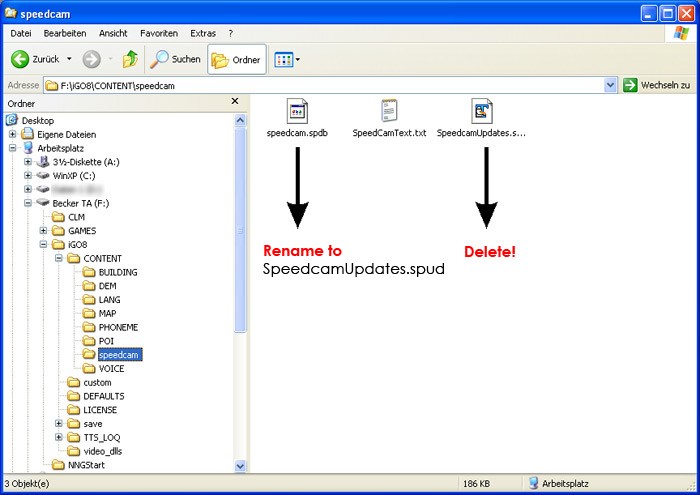
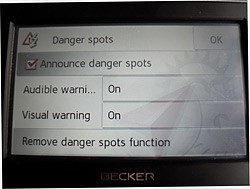
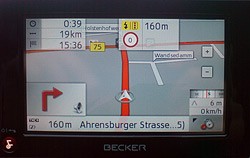
- Unplug your Becker Active 5SL EU device from your PC. Reboot your Becker Active 5SL EU device. Now, go outside to get GPS coverage. Check that a new menu has been created. Go to "Settings/Navigation settings/Danger spot" or "Settings/Navigation settings/speedcam". Double check that every option is adjusted to your preferences.
 |  |
Remember you can customize freely your download. Get access to the customer control panel and using the customization tool in order to get a customized speedcam database according to your needs. You will need this tool if your device doesn't accept the size of the new update. You can add and remove countries speedcam data to your current setup.
Becker Active 5SL EU Speed Camera Update Information
Il Becker Active 5SL EU offre una copertura mappe dettagliata per l'Europa, garantendo che gli utenti possano navigare con precisione in diverse regioni. Per mantenere l'affidabilità delle informazioni stradali, è fondamentale eseguire aggiornamenti regolari del database delle mappe. Questi aggiornamenti possono includere nuove strade, modifiche ai limiti di velocità e punti di interesse, assicurando che il dispositivo rimanga attuale e utile per la navigazione quotidiana. Controllare frequentemente la disponibilità di aggiornamenti è essenziale per ottimizzare l'esperienza di guida.
Per aggiornare il Becker Active 5SL EU, collegare il dispositivo al PC utilizzando un cavo USB. Una volta che il computer riconosce il dispositivo come unità di archiviazione esterna, è possibile accedere ai file delle mappe. Scaricare gli aggiornamenti necessari dal sito ufficiale di Becker e trasferirli sul dispositivo. Assicurarsi di seguire le istruzioni specifiche per l'installazione, in modo da garantire che le nuove mappe siano integrate correttamente nel sistema di navigazione.
Il Becker Active 5SL EU fornisce indicazioni stradali chiare e precise, facilitando la navigazione in tempo reale. Durante il percorso, il dispositivo può anche avvisare gli utenti della presenza di autovelox, contribuendo a mantenere la sicurezza e il rispetto dei limiti di velocità. Utilizzare queste funzionalità per ottimizzare il viaggio e ridurre il rischio di multe. La combinazione di indicazioni vocali e visive rende l'esperienza di guida più fluida e meno stressante.
Looking for additional GPS update information and compatible navigation systems?
GPS Update & Installation Guide