
BMW Serie 5 (E60 / E61)
In order to update your GPS device: BMW Serie 5 (E60 / E61) with the latest update, follow next instructions.
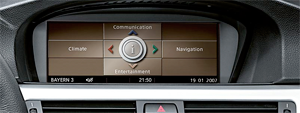
First of all, be sure you got the update file for your BMW Serie 5 (E60 / E61) device, downloaded from SpeedcamUpdates.com.
If still haven't got it, you can get it now filling the form you see on this page.
- Extract files from the SpeedcamUpdates zip package. If the file you have downloaded is not a ZIP file means the file is already decompressed, and you can continue with the next step of this installation instructions.
- Using your favorite recording software, record the ISO image into a DVD+R disc.
- Insert your recorded DVD into your Professional Navigator. The new disc will be detected. iDrive suggests to turn off your system and waits for 5 minutes. You can do it and wait for 5 minutes, or you can reboot your iDrive system, pressing Volume Button, Eject CD, and Eject DVD all of them at same time. Then new disc will be read. And your system is ready with the new disc.
- Speedcam Icon, which is a red circle will be shown on the map by default. You don't need to do anything else.
The file you've received is an ISO file. It has to be recorded in a DVD+R disc. So you will have to use a DVD Recorder. You will need DVD+R discs. If you've purchased All Europe option, you will need 3 DVD+R discs.
BMW Serie 5 (E60 / E61) Speed Camera Update Information
The BMW 5-Series E60/E61 equipped with the 8.8" Multimedia Navigation System offers extensive map coverage through various applications like Google Maps, Waze, and Sygic. Regular map database updates are crucial for ensuring accurate navigation. Users can benefit from the latest road information, points of interest, and traffic conditions. It is essential to check for updates periodically to maintain optimal navigation performance. The AVIN unit supports both online and offline navigation, allowing users to access updated maps without needing a constant internet connection, ensuring reliability during travels.
Updating maps on the BMW 5-Series E60/E61 is straightforward with the 8.8" Multimedia Navigation System. Users can install map updates via USB or MicroSD. To initiate the update process, download the latest map files from a trusted source onto a USB drive or MicroSD card. Insert the device into the navigation unit, and follow the on-screen prompts to complete the installation. This method ensures that the navigation system remains current with the latest maps and features, enhancing the overall driving experience.
The navigation system in the BMW 5-Series E60/E61 provides efficient route guidance, helping drivers reach their destinations with ease. Users can select preferred routes based on real-time traffic data and road conditions. Additionally, the system supports speed camera alerts, enhancing safety by notifying drivers of potential speed traps along their route. This feature allows for better route planning and adherence to speed limits, contributing to a more secure driving experience. Regular updates ensure that speed camera locations are accurate and up-to-date.
Looking for additional GPS update information and compatible navigation systems?
GPS Update & Installation Guide