
AvMap Geosat 5
In order to update your GPS device: AvMap Geosat 5 with the latest update, follow next instructions.
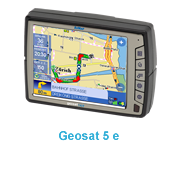
First of all, be sure you got the update file for your AvMap Geosat 5 device, downloaded from SpeedcamUpdates.com.
If still haven't got it, you can get it now filling the form you see on this page.
- Extract files from the SpeedcamUpdates zip package. If the file you have downloaded is not a ZIP file means the file is already decompressed, and you can continue with the next step of this installation instructions.
- Run GeoSatUpdate and Click the button "database transfer".
- Select the folder where you saved our speed camera data. The speedcam database will be transferred to your AvMap Geosat 5 device. When finished, turn on your AvMap Geosat 5 device.
- Your installation has finished.
- If you want, you can download an alarm sound from this link.
You will need the software for your AvMap Geosat 5 device. You can get the latest updated version from next link.
GSUPDATE 5
Remember you can customize freely your download. Get access to the customer control panel and using the customization tool in order to get a customized speedcam database according to your needs. You will need this tool if your device doesn't accept the size of the new update. You can add and remove countries speedcam data to your current setup.
AvMap Geosat 5 Speed Camera Update Information
The AvMap Geosat 5 offers extensive map coverage, ensuring users have access to detailed and accurate navigation data. Regular map database updates are essential for maintaining the reliability of your GPS navigation experience. To keep your device current, it is recommended to periodically check for updates through the Geosat Suite. This software allows you to download the latest maps and enhancements, ensuring that your routes reflect the most up-to-date information available. Staying updated not only improves navigation accuracy but also enhances the overall functionality of the Geosat 5.
To install and update maps on the AvMap Geosat 5, begin by downloading the Geosat Suite software to your PC. Once downloaded, unzip the file and run the executable. Connect your Geosat 5 to your computer using a USB cable. The Geosat Suite will automatically detect your device and prompt you when updates are available. Alternatively, you can use a Secure Digital (SD) memory card to transfer map updates. Simply download the updates to the SD card and insert it into the Geosat 5 to complete the installation process.
The AvMap Geosat 5 provides efficient route guidance, allowing users to navigate seamlessly from their current GPS position to selected destinations. The device features intuitive turn-by-turn directions, ensuring that users can follow routes with ease. Additionally, the Geosat 5 is equipped with speed camera alerts, enhancing safety during navigation. This feature notifies users of nearby speed cameras, helping to maintain compliance with traffic regulations. By utilizing these functionalities, users can optimize their travel experience and navigate confidently.
Looking for additional GPS update information and compatible navigation systems?
GPS Update & Installation Guide