
Alpine Blackbird PMD-B100P
In order to update your GPS device: Alpine Blackbird PMD-B100P with the latest update, follow next instructions.
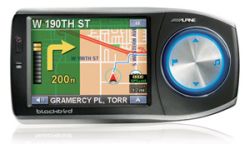
First of all, be sure you got the update file for your Alpine Blackbird PMD-B100P device, downloaded from SpeedcamUpdates.com.
If still haven't got it, you can get it now filling the form you see on this page.
- Extract files from the SpeedcamUpdates zip package. If the file you have downloaded is not a ZIP file means the file is already decompressed, and you can continue with the next step of this installation instructions.
- Rename the file you downloaded with extension .pmf to SpeedCamera.pmf.
- Copy the extracted files into a SD card.
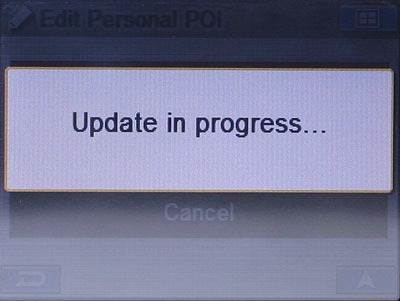
- Put the SD card in your Alpine Blackbird PMD-B100P device. Then click "Main Menu -> Edit ->Edit Personal POI" and finally click Update.
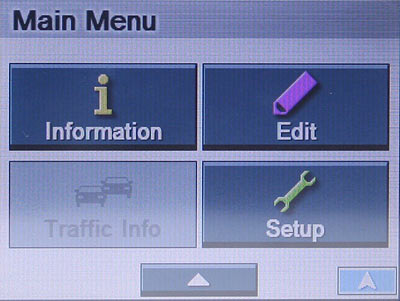
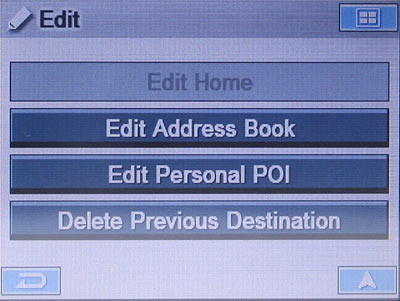
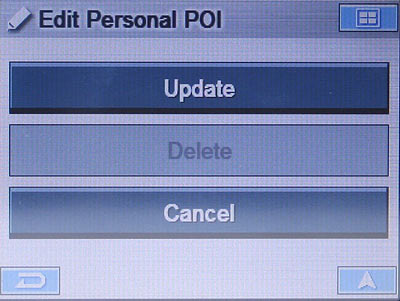

Before using our speedcam files with your Alpine Blackbird PMD-B100P device you must update the firmware to release R4.10.0810 or higher.
Other important thing you have to take in mind is that is necessary that the Alpine Blackbird PMD-B100P device must have at least a register in the Address Book!
Alpine Blackbird PMD-B100P Speed Camera Update Information
The Alpine Blackbird PMD-B100P offers extensive map coverage with access to over 1 million Points of Interest (POI) locations. This comprehensive database allows users to navigate efficiently by selecting from a wide range of destinations. Regular map updates are crucial for maintaining accurate navigation, ensuring that users have the latest information on roads, landmarks, and POIs. To keep your device up to date, it is recommended to periodically check for available map updates, which can enhance the overall navigation experience by providing the most current routing options and geographical data.
Updating the Alpine Blackbird PMD-B100P is straightforward with its USB and SD card capabilities. To install updates, first, download the latest map files from the Alpine website onto your computer. Next, transfer these files to an SD card using the USB 2.0 connection. Insert the SD card into the device, and follow the on-screen prompts to complete the installation. This process ensures that your navigation system remains equipped with the most accurate maps and POIs, enhancing your driving experience.
The Alpine Blackbird PMD-B100P provides reliable route guidance, helping drivers navigate efficiently to their chosen destinations. The device features a user-friendly interface that allows for easy input of addresses and selection of routes. Additionally, the system includes speed camera alerts, which notify users of nearby speed enforcement locations. This feature aids in maintaining safe driving practices and can help avoid potential fines. By utilizing these navigation capabilities, drivers can enjoy a more informed and secure travel experience.
Looking for additional GPS update information and compatible navigation systems?
GPS Update & Installation Guide