
ViaMichelin Navigation X-970T
In order to update your GPS device: ViaMichelin Navigation X-970T with the latest update, follow next instructions.
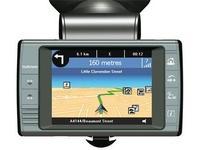
First of all, be sure you got the update file for your ViaMichelin Navigation X-970T device, downloaded from SpeedcamUpdates.com.
If still haven't got it, you can get it now filling the form you see on this page.
- Extract files from the SpeedcamUpdates zip package. If the file you have downloaded is not a ZIP file means the file is already decompressed, and you can continue with the next step of this installation instructions.
- Start the Content Manager. Click on the category identified as "My ViaMichelin". Then Click on "Create folder". Click the "My POIs" category and name your folder "speedcam". Click on [...] to select the *.asc file. Select also the Icon. Click "OK". Repeat the last steps for each speedcam file. Start synchronisation to transfer the speedcams to your ViaMichelin Navigation X-970T device. After importing files on your ViaMichelin Navigation X-970T device, you can configure the display and the POI_ alert.
Remember you can customize freely your download. Get access to the customer control panel and using the customization tool in order to get a customized speedcam database according to your needs. You will need this tool if your device doesn't accept the size of the new update. You can add and remove countries speedcam data to your current setup.
ViaMichelin Navigation X-970T Speed Camera Update Information
The ViaMichelin Navigation X-970T offers comprehensive map coverage across 20 pre-installed countries, ensuring reliable navigation throughout Europe. To maintain optimal performance, regular map updates are essential. Users can access updated maps through the ViaMichelin website or designated update services. Keeping the map database current enhances route accuracy and provides the latest road information, including new roads, changes in traffic regulations, and points of interest. Regular updates ensure that the GPS device remains a valuable tool for efficient navigation.
To install or update maps on the ViaMichelin X-970T, users must utilize the USB or SD card method. Begin by connecting the device to a computer via USB or inserting the SD card into the card reader. Download the latest map updates from the ViaMichelin website and save them in the appropriate folder on the SD card. Once the files are in place, insert the SD card back into the GPS device. The updated maps will be accessible after restarting the device, ensuring users have the latest navigation data.
The ViaMichelin Navigation X-970T provides precise route guidance, helping users navigate efficiently to their destinations. The device features real-time instructions, including turn-by-turn directions and estimated arrival times. Additionally, it includes speed camera alerts, enhancing driver awareness and safety. Users can customize their route preferences, such as avoiding toll roads or selecting the fastest route. This functionality ensures that the navigation experience is tailored to individual needs, making the X-970T a practical choice for everyday travel.
Looking for additional GPS update information and compatible navigation systems?
GPS Update & Installation Guide