
TomTom GO 9000
In order to update your GPS device: TomTom GO 9000 with the latest update, follow next instructions.
First of all, be sure you got the update file for your TomTom GO 9000 device, downloaded from SpeedcamUpdates.com.
If still haven't got it, you can get it now filling the form you see on this page.
- Extract files from the SpeedcamUpdates zip package. If the file you have downloaded is not a ZIP file means the file is already decompressed, and you can continue with the next step of this installation instructions.
Method 1.
- This method is valid if you're able to connect your TomTom GO 9000 device to your PC Computer and get access to the main shared folder of the device.
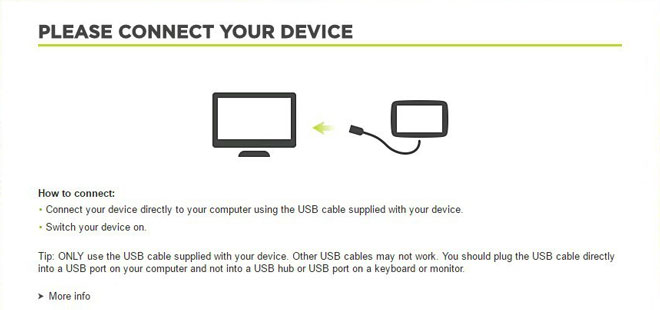
- Plug your TomTom GO 9000 device to your computer thru USB cable. If everything goes well you should see a new drive that you can explore using Windows Explorer or Finder if you use Mac.
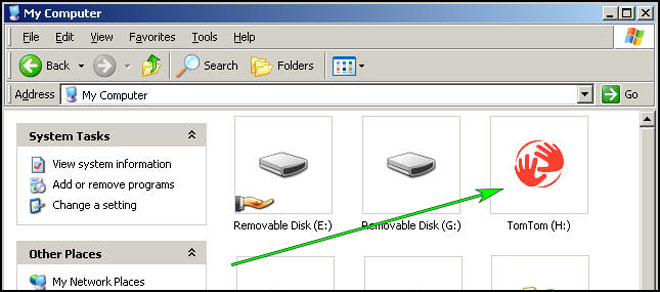
- Using the file explorer look for the folder with a region or country name, like Western Europe, Spain, Italy, United Kingdom.
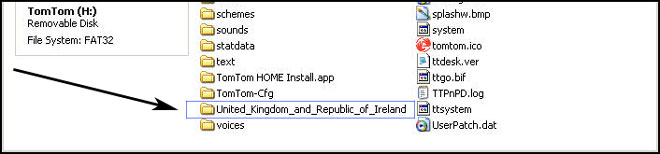
- Copy the extracted files from SpeedcamUpdates, OV2 and BMP, into the map folder you identified in the step before.
- You can enable alerts, and set warning audio when approaching to the speed cameras, in the Enable Alerts section.
- Sign in to your TomTom GO 9000 account
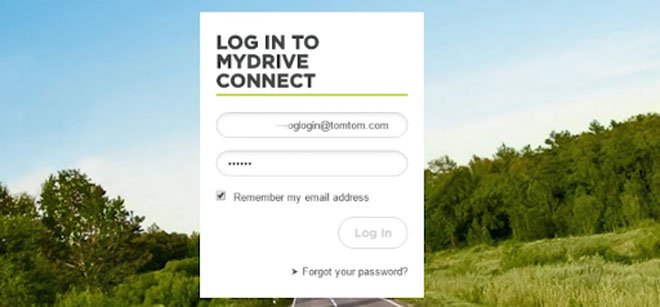
- Register your TomTom GO 9000 device or select it if it is already registered.
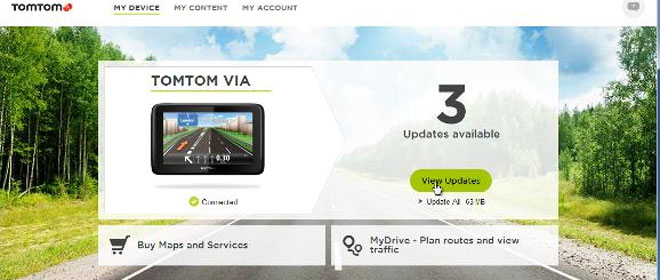
- You're ready now to choose Method 2 or Method 3 for speed cameras installation.
Method 2.
- Using Route Planner
- Go to website: MyDrive
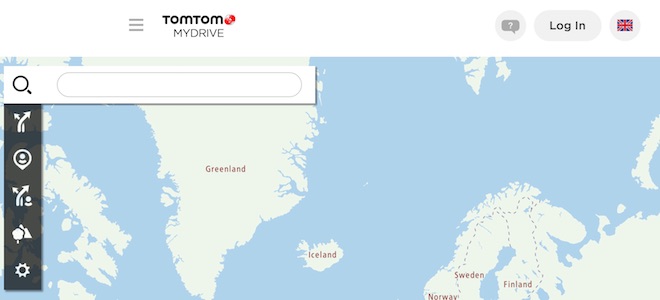
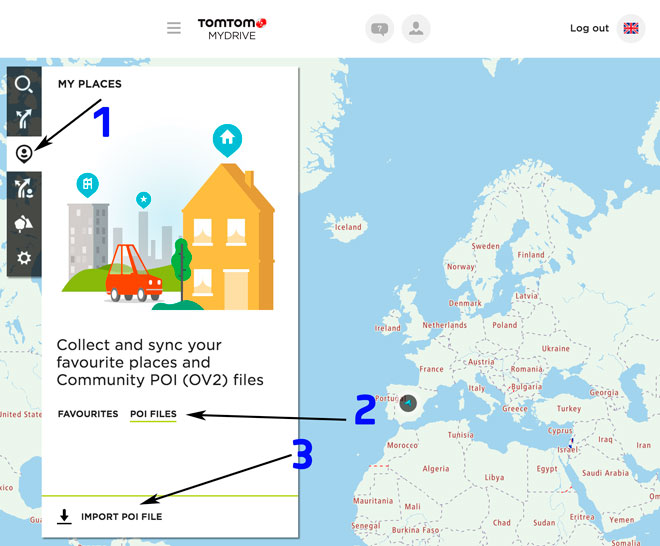
- Do login and click Route Planner => My Places =>POI Files => Import POI file
- Select each OV2 file you've downloaded from SpeedcamUpdates and press Import button.
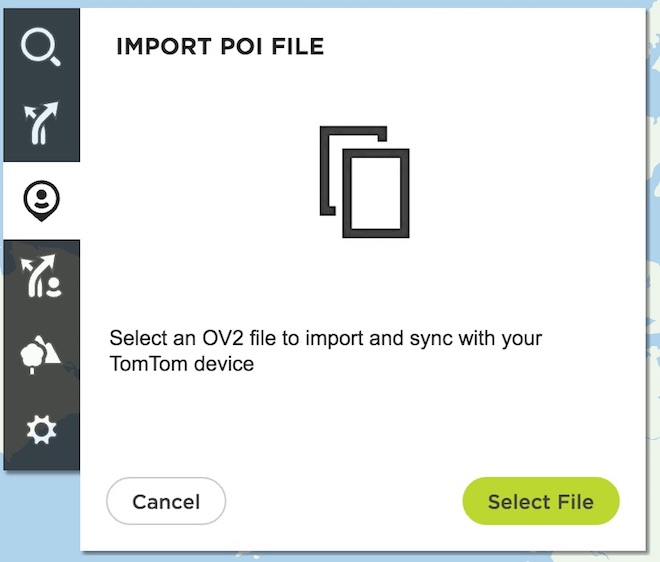
- Files will be automatically transfered to your TomTom GO 9000 device.
- You can enable alerts, and set warning audio when approaching to the speed cameras, in the Enable Alerts section.
Method 3.
- Using Add Community content with MyDrive
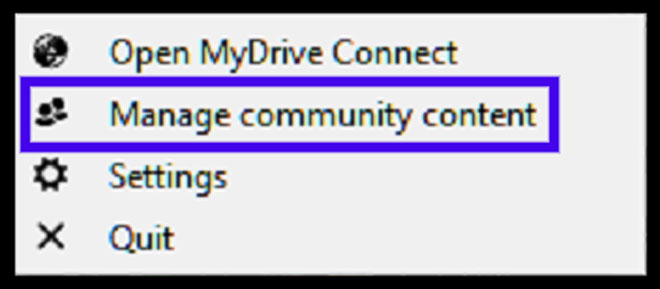
- Right click in MyDrive Connect icon in the system tray and select Manage community content
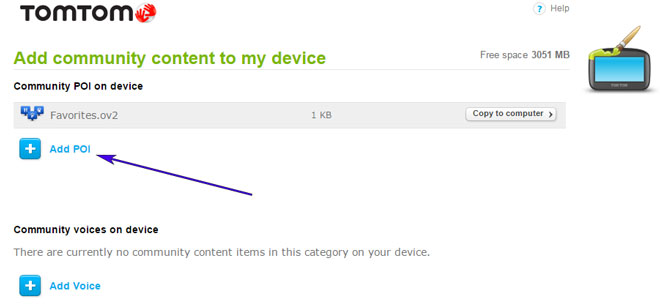
- You have to add each OV2 file downloaded from SpeedcamUpdates by pressing Add Poi button. Remember to add the associated bmp too which is included in the downloaded files.
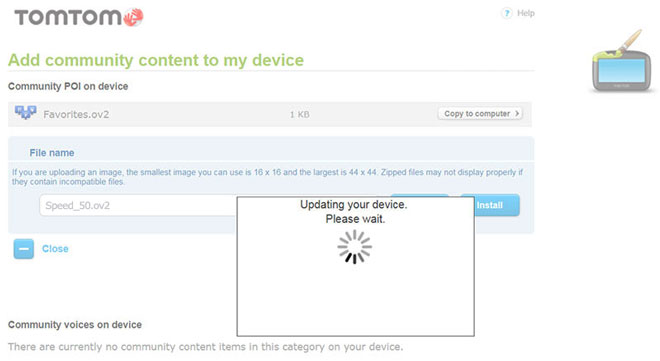
- When you finish press Install to transfer all information to your device.
- Enable Alerts
In order to enable alertes go to Main > Settings > POI settings > Warn when approaching a POI
Search the categories where speedcams are located
Select distance and warning sound per each category
A speaker icon will be shown close to the category name.
There are 3 different methods to install speed cameras in your TomTom device, depending on the capabilities and release date.
In order to use Method 2 or Method 3 you have to install TomTom Software. Follow next instructions to do it.
Download and install software MyDrive from TomTom.
You need a registered TomTom account.
Connect your TomTom device to your computer and run "MyDrive Connect" software.
Remember you can customize freely your download. Get access to the customer control panel and using the customization tool in order to get a customized speedcam database according to your needs. You will need this tool if your device doesn't accept the size of the new update. You can add and remove countries speedcam data to your current setup.
GO 9000 Speed Camera Update Information
The Garmin GPSMap 9000 series offers extensive map coverage, ensuring that users have access to detailed and accurate navigation data. Regular map database updates are essential for maintaining optimal performance and accuracy. These updates include new roads, points of interest, and changes in terrain, which are crucial for effective navigation. Users can easily check for updates through the Garmin website or the device's interface, ensuring they are always equipped with the latest mapping information for their journeys.
Updating the Garmin GPSMap 9000 series is straightforward with USB or SD card installation. Users can download the latest map updates from the Garmin website onto a computer, then transfer them to a USB drive or SD card. Once the updates are on the device, users can follow the on-screen prompts to complete the installation. This process ensures that the device remains current with the latest navigation data, enhancing the overall user experience.
The Garmin GPSMap 9000 series provides reliable route guidance, helping users navigate efficiently through various terrains. The device can also alert users to speed camera locations, enhancing safety during travel. By integrating these features, the GPSMap 9000 series ensures that users can plan their routes effectively while remaining aware of potential speed traps, contributing to a safer navigation experience.
Looking for additional GPS update information and compatible navigation systems?
GPS Update & Installation Guide