
Skoda Columbus 2 ( 2016 )
In order to update your GPS device: Skoda Columbus 2 ( 2016 ) with the latest update, follow next instructions.

First of all, be sure you got the update file for your Skoda Columbus 2 ( 2016 ) device, downloaded from SpeedcamUpdates.com.
If still haven't got it, you can get it now filling the form you see on this page.
- Extract files from the SpeedcamUpdates zip package. If the file you have downloaded is not a ZIP file means the file is already decompressed, and you can continue with the next step of this installation instructions.
- Select the "NAV" tab
- Insert the SD card containing the downloaded and unzipped data in slot 2 of the GPS Device
- Select "Setup"
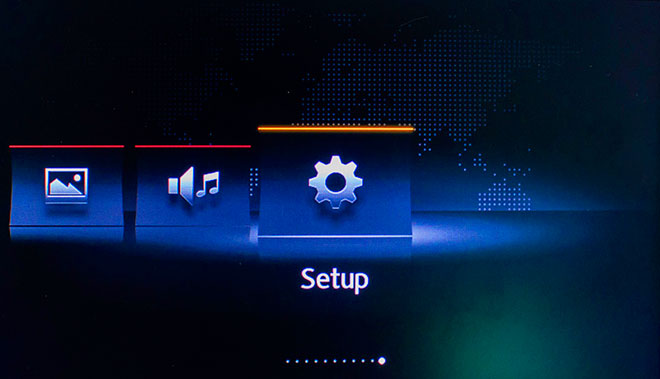
- Select "System Information"
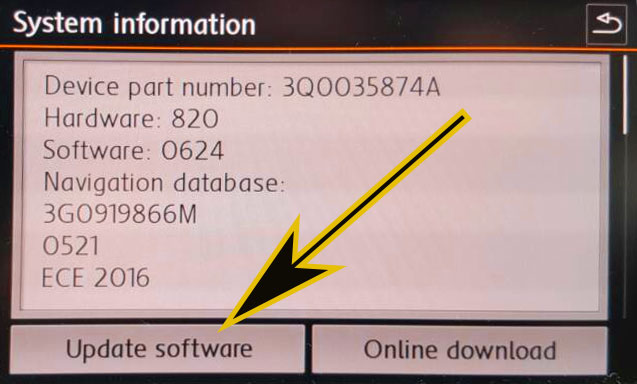
- Select "Update my POI"
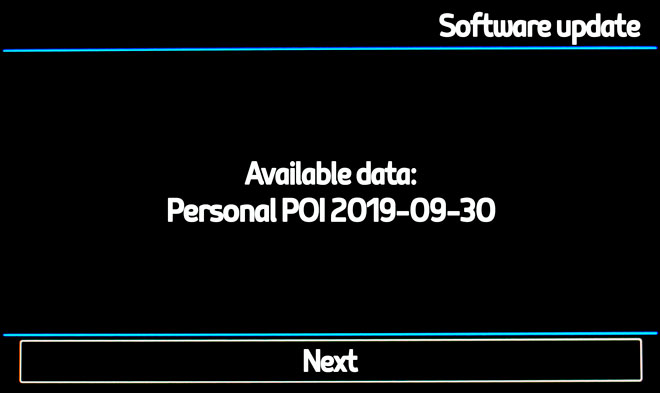
- When "Software Update Available" is shown on the screen, you have to select Update and Next
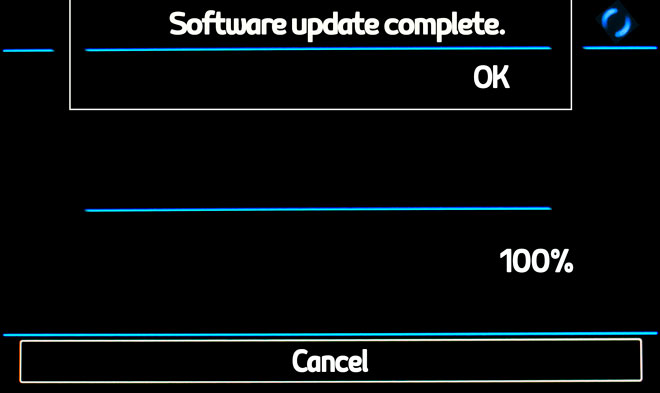
- When import procedure has finished then return to NAV
- Select "Map"
- Select "Show POI"
- Select "Show Categories"
- Scroll down till I see Speedcameras and tick them (mark with ?V?-sign).
- The cameras will be shown on the map. When you approach to the camera a weak warning sound is played. This could happen or not depending on the models.
Remember you can customize freely your download. Get access to the customer control panel and using the customization tool in order to get a customized speedcam database according to your needs. You will need this tool if your device doesn't accept the size of the new update. You can add and remove countries speedcam data to your current setup.
Skoda Columbus 2 ( 2016 ) Speed Camera Update Information
The Skoda Columbus 2 (2016) offers extensive map coverage, ensuring that users can navigate with confidence across various regions. Regular map database updates are essential for maintaining accuracy and reliability in navigation. These updates include new roads, points of interest, and changes in traffic regulations, which enhance the overall driving experience. Keeping your maps current allows for optimal route planning and minimizes the risk of encountering outdated information. For Skoda Superb Mk3 (2015 - 2023) owners, accessing the latest map updates is crucial for effective navigation, ensuring that you are always guided by the most recent data available.
To update the maps on your Skoda Columbus 2, begin by downloading the relevant map files from the official source. Once downloaded, unzip the files and transfer them to a compatible SD card. Insert the SD card into the designated slot in your vehicle. The Columbus system will recognize the new maps upon startup. Follow the on-screen prompts to complete the installation process. It is important to ensure that the SD card is formatted correctly and that the files are placed in the appropriate directory to avoid any issues during the update.
The Skoda Columbus 2 provides precise route guidance, helping drivers navigate efficiently to their destinations. The system offers turn-by-turn directions, ensuring that users can follow the recommended routes without confusion. Additionally, the device includes features for speed camera alerts, enhancing safety by notifying drivers of potential speed traps along their route. This functionality allows for better compliance with speed limits and contributes to a more secure driving experience. Regular map updates are vital for maintaining the accuracy of these features, ensuring that users receive timely alerts and optimal routing information.
Looking for additional GPS update information and compatible navigation systems?
GPS Update & Installation Guide