
Pioneer AVIC-Z110BT
In order to update your GPS device: Pioneer AVIC-Z110BT with the latest update, follow next instructions.
First of all, be sure you got the update file for your Pioneer AVIC-Z110BT device, downloaded from SpeedcamUpdates.com.
If still haven't got it, you can get it now filling the form you see on this page.
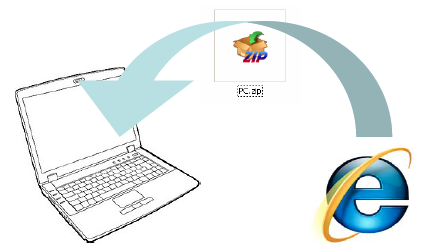
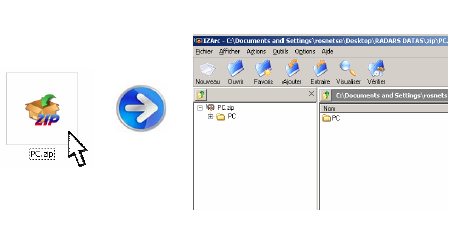
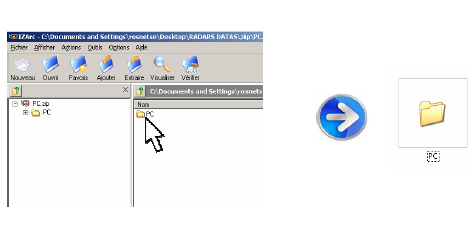
- Extract files from the SpeedcamUpdates zip package. If the file you have downloaded is not a ZIP file means the file is already decompressed, and you can continue with the next step of this installation instructions.
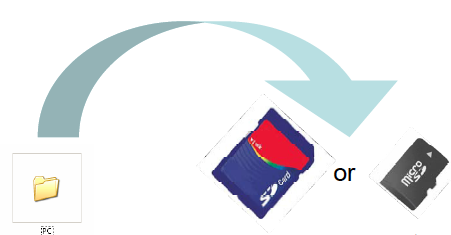
- Copy the folder « PC » onto a SD card
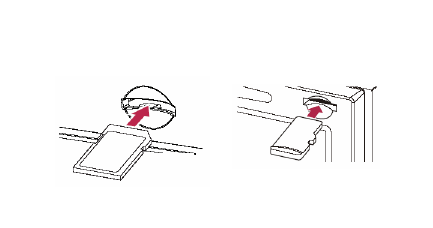
- Insert the (Micro)SD card in your NavGate system
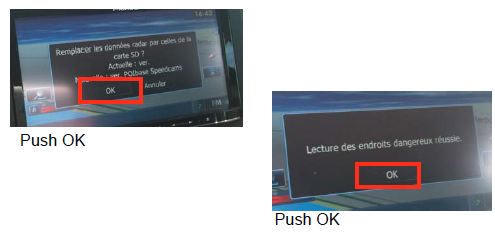
- Once SD card inserted, follow the screen instructions
- Your system is ready to work !
Pioneer AVIC-Z110BT Speed Camera Update Information
The Pioneer AVIC-Z110BT features a comprehensive map coverage that ensures accurate navigation across various regions. Regular map database updates are essential for maintaining the reliability of your GPS navigation. These updates can include new roads, changes in traffic patterns, and updated points of interest. Keeping your maps current enhances the overall navigation experience, allowing for more efficient route planning and improved accuracy. Users should verify the model and ensure compatibility when seeking map updates to avoid any issues during installation.
To update the maps on your Pioneer AVIC-Z110BT, you can utilize USB or SD card installation methods. First, download the latest map updates from a reliable source onto your computer. Next, transfer the update files to a USB drive or SD card. Insert the USB or SD card into the device, and follow the on-screen prompts to initiate the update process. It is crucial to ensure that the device remains powered during the update to prevent any interruptions that could lead to system lockouts.
The Pioneer AVIC-Z110BT provides effective route guidance, helping users navigate with ease. The device offers turn-by-turn directions, ensuring that drivers stay on track. Additionally, it includes features for speed camera alerts, which can enhance safety and compliance with traffic regulations. By utilizing these features, users can optimize their travel routes and avoid potential fines. Regularly updating the maps ensures that the speed camera locations are current, further improving the navigation experience.
Looking for additional GPS update information and compatible navigation systems?
GPS Update & Installation Guide