
Pioneer AVIC-F10BT
In order to update your GPS device: Pioneer AVIC-F10BT with the latest update, follow next instructions.
First of all, be sure you got the update file for your Pioneer AVIC-F10BT device, downloaded from SpeedcamUpdates.com.
If still haven't got it, you can get it now filling the form you see on this page.
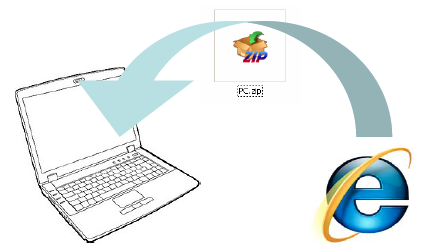
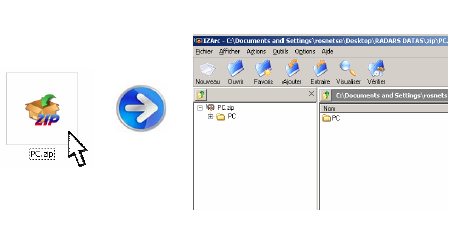
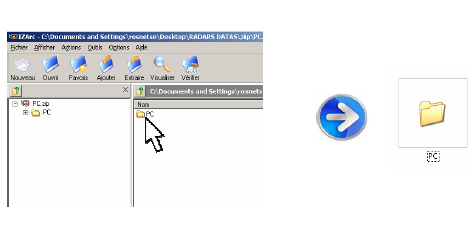
- Extract files from the SpeedcamUpdates zip package. If the file you have downloaded is not a ZIP file means the file is already decompressed, and you can continue with the next step of this installation instructions.
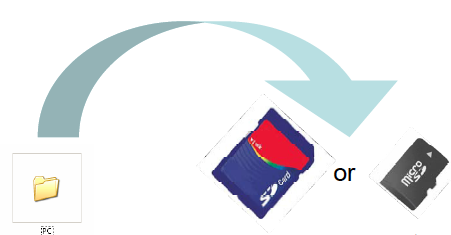
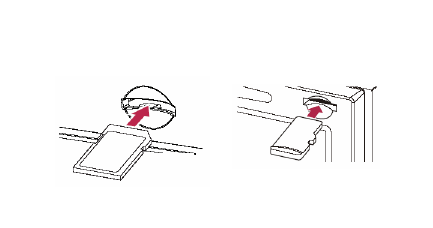
- Copy the folder « PC » onto a SD card
- Insert the (Micro)SD card in your NavGate system
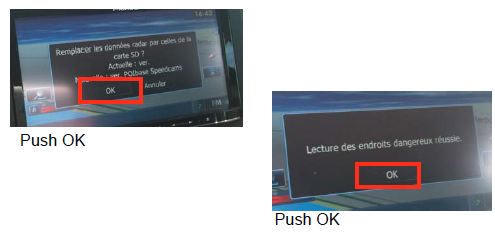
- Once SD card inserted, follow the screen instructions
- Your system is ready to work !
Pioneer AVIC-F10BT Speed Camera Update Information
The Pioneer AVIC-F10BT offers extensive map coverage, ensuring that users have access to the latest road networks, addresses, and signage. Regular map updates are essential for maintaining optimal navigation performance. By ordering the latest map updates, users can enhance their driving experience with accurate and up-to-date information. This includes modifications to existing roads and the addition of new routes, which can significantly improve route planning and navigation accuracy. Keeping the map database current is crucial for effective navigation, allowing drivers to avoid outdated information that could lead to confusion or delays.
To update the maps on your Pioneer AVIC-F10BT, you can utilize either a USB drive or an SD card. Begin by downloading the latest map updates from the Pioneer website. Once downloaded, transfer the update files to your USB drive or SD card. Insert the media into the AVIC-F10BT's designated port. Access the navigation settings on the device and follow the prompts to initiate the update process. Ensure that your vehicle is in a safe location during the update, as the device may require a few moments to complete the installation. This straightforward workflow ensures that your navigation system remains current.
The Pioneer AVIC-F10BT provides reliable route guidance, helping drivers navigate efficiently to their destinations. The system includes features for speed camera alerts, which notify users of nearby speed enforcement locations. This functionality is particularly useful for maintaining safe driving practices and avoiding potential fines. By integrating speed camera data into the navigation experience, users can make informed decisions about their driving speed and route choices. Regular updates to the map database ensure that speed camera locations are accurate, enhancing the overall effectiveness of the navigation system.
Looking for additional GPS update information and compatible navigation systems?
GPS Update & Installation Guide