
Blaupunkt Lucca 5.3
In order to update your GPS device: Blaupunkt Lucca 5.3 with the latest update, follow next instructions.
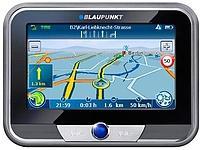
First of all, be sure you got the update file for your Blaupunkt Lucca 5.3 device, downloaded from SpeedcamUpdates.com.
If still haven't got it, you can get it now filling the form you see on this page.
- Extract files from the SpeedcamUpdates zip package. If the file you have downloaded is not a ZIP file means the file is already decompressed, and you can continue with the next step of this installation instructions.
Remember you can customize freely your download. Get access to the customer control panel and using the customization tool in order to get a customized speedcam database according to your needs. You will need this tool if your device doesn't accept the size of the new update. You can add and remove countries speedcam data to your current setup.
Blaupunkt Lucca 5.3 Speed Camera Update Information
The Blaupunkt TravelPilot Lucca 5.3 offers extensive map coverage, ensuring you have access to detailed navigation across various regions. Regular map database updates are crucial for maintaining accurate routing and point-of-interest information. Users can enhance their navigation experience by downloading the latest map updates, which may include new roads, changes in traffic patterns, and updated points of interest. Keeping your maps current is essential for effective navigation, as it helps avoid outdated routes and enhances overall travel efficiency.
To install map updates on the Blaupunkt TravelPilot Lucca 5.3, users can utilize a USB cable or SD card. Begin by downloading the latest map files from a trusted source onto your computer. Connect the device using a compatible USB cable or insert the SD card into your computer. Transfer the downloaded map files to the appropriate directory on the device or SD card. Once the transfer is complete, safely disconnect the device and restart it to ensure the new maps are recognized and ready for use.
The Blaupunkt TravelPilot Lucca 5.3 provides reliable route guidance, helping users navigate efficiently to their destinations. The device includes features for real-time route recalculation, ensuring that you stay on track even if you deviate from the planned route. Additionally, the device can alert users to speed camera locations, enhancing safety and compliance with traffic regulations. By utilizing these features, drivers can enjoy a more informed and secure navigation experience, making their journeys smoother and more efficient.
Looking for additional GPS update information and compatible navigation systems?
GPS Update & Installation Guide