
BMW Serie 6 (E63 / E64)
In order to update your GPS device: BMW Serie 6 (E63 / E64) with the latest update, follow next instructions.
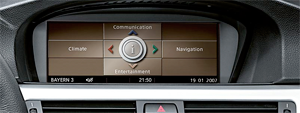
First of all, be sure you got the update file for your BMW Serie 6 (E63 / E64) device, downloaded from SpeedcamUpdates.com.
If still haven't got it, you can get it now filling the form you see on this page.
- Extract files from the SpeedcamUpdates zip package. If the file you have downloaded is not a ZIP file means the file is already decompressed, and you can continue with the next step of this installation instructions.
- Using your favorite recording software, record the ISO image into a DVD+R disc.
- Insert your recorded DVD into your Professional Navigator. The new disc will be detected. iDrive suggests to turn off your system and waits for 5 minutes. You can do it and wait for 5 minutes, or you can reboot your iDrive system, pressing Volume Button, Eject CD, and Eject DVD all of them at same time. Then new disc will be read. And your system is ready with the new disc.
- Speedcam Icon, which is a red circle will be shown on the map by default. You don't need to do anything else.
The file you've received is an ISO file. It has to be recorded in a DVD+R disc. So you will have to use a DVD Recorder. You will need DVD+R discs. If you've purchased All Europe option, you will need 3 DVD+R discs.
BMW Serie 6 (E63 / E64) Speed Camera Update Information
The BMW Serie 6 (E63/E64) GPS navigation system offers extensive map coverage, ensuring drivers have access to detailed road information across various regions. Regular map database updates are crucial for maintaining accuracy and reliability in navigation. Users can benefit from the latest road changes, points of interest, and updated traffic regulations. Keeping the map database current enhances the overall navigation experience, allowing for efficient route planning and minimizing the risk of encountering outdated information during travel.
Updating the GPS navigation maps on the BMW Serie 6 (E63/E64) is a straightforward process. Users can utilize a USB or SD card to install and update the navigation software. Simply download the latest map updates from a compatible source onto the USB or SD card, then insert it into the vehicle's navigation system. The device will recognize the update, allowing for a seamless installation process. This method ensures that drivers can easily keep their navigation system current without the need for complex procedures.
The GPS navigation system in the BMW Serie 6 (E63/E64) provides precise route guidance, helping drivers navigate efficiently to their destinations. It includes features such as turn-by-turn directions and real-time traffic updates, enhancing the driving experience. Additionally, the system can alert users to speed camera locations, promoting safer driving habits. By incorporating these features, the navigation system not only assists in route planning but also helps drivers adhere to speed limits and avoid potential fines.
Looking for additional GPS update information and compatible navigation systems?
GPS Update & Installation Guide