
Kenwood DNX7200T
In order to update your GPS device: Kenwood DNX7200T with the latest update, follow next instructions.
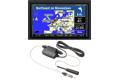
First of all, be sure you got the update file for your Kenwood DNX7200T device, downloaded from SpeedcamUpdates.com.
If still haven't got it, you can get it now filling the form you see on this page.
- Extract files from the SpeedcamUpdates zip package. If the file you have downloaded is not a ZIP file means the file is already decompressed, and you can continue with the next step of this installation instructions.
- For kenwood devices that supports SD card.
- Insert in your PC or card reader, a blank SD Memory Card. Run POI loader. In the first screen of POI Loader select "Custom Folder". Now select a folder where the new files will be saved. We choose the SD card drive. Browse to the folder where you extracted the files before. Select Express Mode, and wait for the application finish copying a new binary file for your Kenwood DNX7200T device. When the process finished, you will see a new file called poi.gpi. Take out your SD memory card and insert it into your Kenwood DNX7200T device. Now you have to copy that file in a specified folder. Now copy that file in a directory structure like [SD]:\garmin\poi\poi.gpi.
- For kenwood devices that does not supports SD card.
- 1. Create a folder on your computer called " garmin ".
* NOTE: Users of models DNX7240BT DNX9240BT have to create a subfolder called " poi ". The final structure should be like this "garmin\poi"
* NOTE: depending on the firmware of your kenwood device your folder called garmin should be called Garmin with upper case G. i.e.: " Garmin \ poi "
2. Run POILoader.
3. Select "Custom Folder "
4. Browse to the folder where you extracted our speed camera database.
5. Follow the on screen instructions.
6. Use POI loader to create the output file from database, choose " Custom Folder" and then select the garmin folder you created in Step 1
7. Browse for your POI folder and follow the on screen instructions.
8. Burn the folder containing the new files into a CD-R. Burn the CD as "Data CD" and be sure to finalize CD.
9. Insert CD into the Kenwood unit and it will be updated automatically.
In orden to transfer the speedcam database information to your Kenwood DNX7200T device you have to use POI loader application. Click next link to download it.
POI Loader Software
If you experience that there is no sound when approaching to a speed camera, it probably means your device firmware and maybe your navigation software must be updated.
Kenwood Firmware Update
GPS Software Update
Remember you can customize freely your download. Get access to the customer control panel and using the customization tool in order to get a customized speedcam database according to your needs. You will need this tool if your device doesn't accept the size of the new update. You can add and remove countries speedcam data to your current setup.
Kenwood DNX7200T Speed Camera Update Information
The Kenwood DNX7200T features a robust map coverage system, ensuring users have access to detailed and accurate navigation data. However, it's important to note that map updates for Kenwood devices, including the DNX7200T, will be discontinued after December 31, 2028. This means that while the device currently offers reliable navigation, users should prioritize obtaining the latest map updates before this deadline to maintain optimal performance. Regular updates are crucial for adapting to new roads, changes in traffic patterns, and other geographical changes that can affect navigation accuracy.
To install and update maps on the Kenwood DNX7200T, users can utilize USB or SD card methods. First, ensure that the device is powered on and the appropriate storage medium is inserted. Download the latest map update files from the official Kenwood website onto your computer, then transfer them to the USB drive or SD card. Insert the storage medium into the DNX7200T, navigate to the update section in the settings menu, and follow the on-screen prompts to complete the installation. This straightforward process ensures that your navigation system remains current and functional.
The Kenwood DNX7200T provides efficient route guidance, allowing users to navigate with ease. The system offers turn-by-turn directions, ensuring that drivers can follow their chosen routes without confusion. Additionally, the device is equipped to alert users to speed camera locations, enhancing safety and compliance with traffic regulations. By utilizing these features, drivers can focus on the road while receiving timely updates about their journey, making the Kenwood DNX7200T a practical choice for reliable navigation.
Looking for additional GPS update information and compatible navigation systems?
GPS Update & Installation Guide